
في ظل الوتيرة السريعة لتصميم الواجهة الحديثة، لا يبحث المستخدمون عن الجماليات فحسب، بل يريدون الوضوح والفهم. هذا هو بالضبط المكان الذي تأتي فيه رسوم UX المتحركة. إنه يشكل سلوك الواجهة، ويوفر الإشارات، ويقلل العبء المعرفي، ويخلق اتصالًا عاطفيًا بالمنتج. في Isted، هذه هي بالضبط الطريقة التي نستخدمها بها.
في هذه المقالة، سنتحدث عن العوامل التي تجعل الرسوم المتحركة جيدة وكيف تؤثر على تجربة المنتج.
لماذا تعتبر الرسوم المتحركة أداة وظيفية وليست أداة بصرية إضافية
غالبًا ما يُنظر إلى الرسوم المتحركة على أنها طبقة جمالية بحتة، أي شيء من الجيد امتلاكه، ولكنه اختياري في النهاية. في الواقع، تلعب دورًا مهمًا في إنشاء اتصال واضح بين النظام والمستخدم.
تساعد الرسوم المتحركة على:
- شرح العلاقات بين عناصر الواجهة، مثل عندما تنهار البطاقة في المعاينة أو تتوسع إلى عرض ملء الشاشة؛
- أظهر أن النظام يعالج إجراءً من خلال برامج التحميل أو مؤشرات التقدم أو تغييرات حالة الزر؛
- تأكيد أو رفض إجراءات المستخدم باستخدام الحركة أو تغييرات اللون أو ردود الفعل اللمسية؛
- اجعل التنقل المعقد أسهل للفهم من خلال الانتقالات السلسة بين الأقسام وشرائح التمرير والنوافذ المشروطة.
حالات الاستخدام هذه ليست شاملة بأي حال من الأحوال. ومع ذلك، يجب أن تكون سيناريوهات الاستخدام الأربعة هذه كافية للحصول على فكرة عما يمكن للرسوم المتحركة القيام به.
عندما توفر الحركة الاتجاه، وليس الزخرفة فقط
تخيل النقر على زر الدفع ولا يحدث شيء. لا توجد استجابة مرئية، لا توجد ملاحظات. لحظة عدم اليقين هذه محبطة. ولكن عندما يظهر القرص الدوار، أو يتلاشى الزر، أو يتم تشغيل اهتزاز خفيف، يفهم المستخدم على الفور أن النظام هو يعمل.
هذا هو المكان الذي تظهر فيه الرسوم المتحركة الصغيرة قيمتها الحقيقية. فهي تقلل التوتر وتبني الثقة وتوجه المستخدمين بلطف نحو الخطوة التالية. دعونا نحلل فائدة الرسوم المتحركة بشكل أكبر:
مسح الملاحظات المرئية لإجراءات المستخدم
تؤدي ضغطات الأزرار المحسّنة باستخدام الرسوم المتحركة الدقيقة - تغيير طفيف أو تغيير اللون أو الظل - إلى إنشاء تعليقات فورية ومتوقعة. هذا يطمئن المستخدمين بأن إجراءاتهم قد تم تسجيلها. حتى الحد الأدنى من تأثيرات الاهتزاز أو التوهج أو النقر يعزز علاقة السبب والنتيجة بين الفعل والنتيجة.
عبء إدراكي أقل ومنطق أوضح
تساعد الرسوم المتحركة المستخدمين على توجيه أنفسهم. عندما يدخل عنصر من اليسار، نفهم بشكل بديهي أنه يأتي من خطوة سابقة. عندما تنزلق شاشة جديدة من الأسفل، فإنها تشير إلى تنقل أعمق في التفاصيل.
يُعرف هذا المبدأ في تصميم التفاعل باسم منطق مكاني - فكرة أن الحركة تشرح كيفية ارتباط أجزاء مختلفة من الواجهة ببعضها البعض.
حركة طبيعية من خلال التخفيف
يمكن أن تبدو الحركات أو العناصر المفاجئة التي تظهر على الفور مزعجة وغير طبيعية. هذا هو السبب في أن التيسير ضروري في الرسوم المتحركة لتجربة المستخدم. يعكس التسارع أو التباطؤ التدريجي في بداية الحركة أو نهايتها فيزياء العالم الحقيقي، مما يجعل التحولات تبدو سلسة ومتعمدة.
يضيف التخفيف الراحة النفسية. بدلاً من تشتيت انتباه المستخدمين، تعمل الحركة ذات التوقيت الجيد على تهدئتهم بمهارة، حتى لو لم يلاحظوا ذلك بوعي.
.webp)
زيادة المشاركة وتحسين تجربة المستخدم
حتى الواجهة الأكثر فاعلية يمكن أن تبدو باهتة إذا بدت ثابتة أو بلا حياة. تعمل الرسوم المتحركة على إضفاء الحيوية على التفاعلات، مما يجعلها أكثر سهولة وجاذبية من الناحية العاطفية. ونتيجة لذلك، فإنه يزيد من تفاعل المستخدمين، ويحسن تجربة المستخدم بشكل عام، ويمكن أن يؤثر بشكل مباشر على مقاييس المنتج مثل التحويل والاحتفاظ والوقت على الصفحة.
يمكنك استكشاف هذا بمزيد من التفاصيل في مقالتنا «مقاييس UX: ما يجب قياسه ولماذا».
الرسوم المتحركة الدقيقة تخلق مشاعر صغيرة
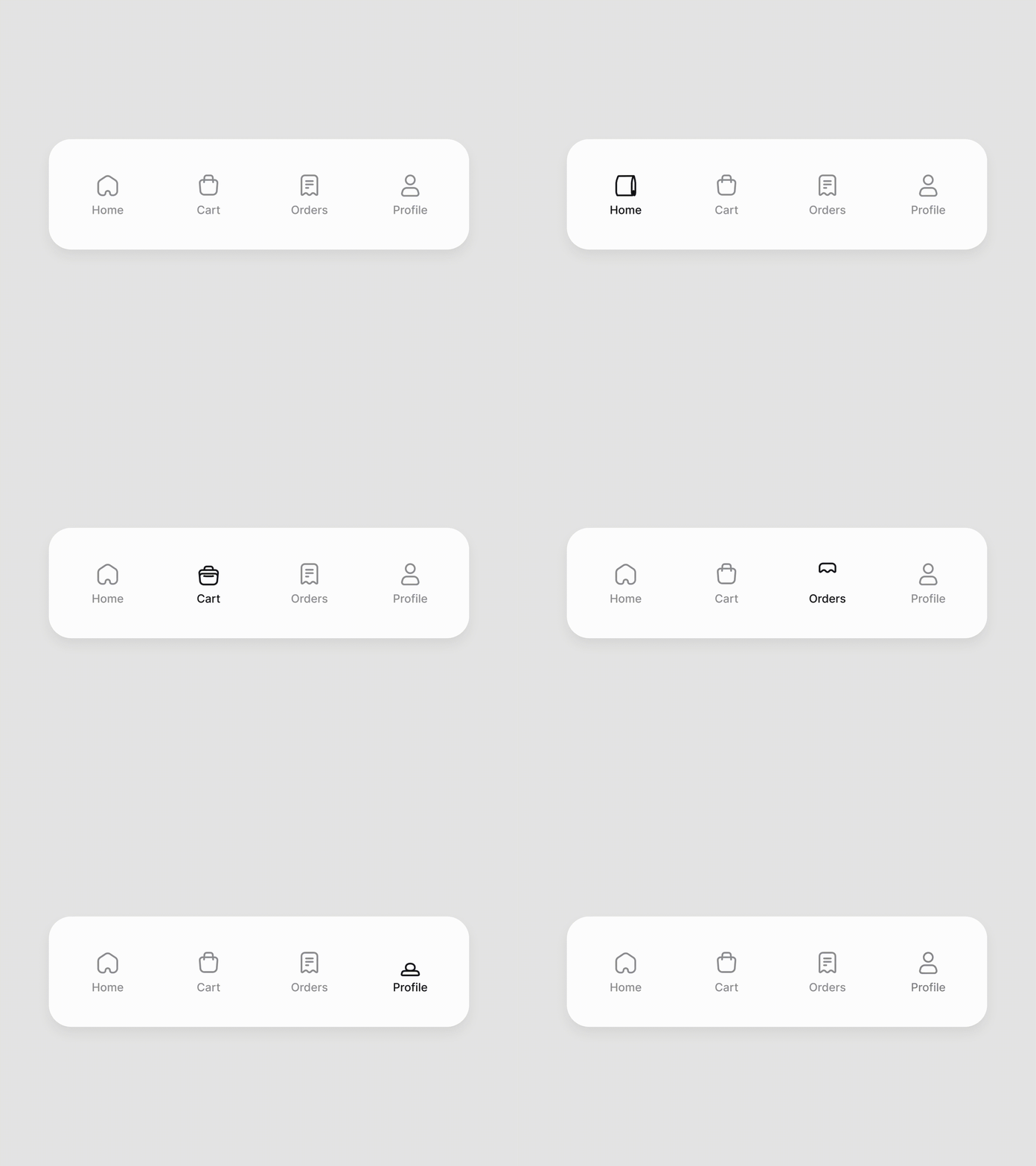
التفاعلات الدقيقة هي لحظات صغيرة ولكنها ذات مغزى عندما يشعر المستخدمون أن النظام يفهمها.
- يرتد الزر بلطف بعد النقر عليه
- تؤدي حالة التحويم إلى حدوث تحول طفيف في اللون أو دورانه
- يتحرك مؤشر التقدم بسلاسة أثناء اكتمال النموذج
تتجاوز هذه التفاصيل التلميع البصري. إنها تساعد في بناء الثقة وتقوية الرابطة العاطفية مع المنتج وزيادة الرضا العام. بالإضافة إلى ذلك، يتوافق هذا المفهوم بشكل جيد مع التلعيب، وهي أيضًا طريقة مؤكدة لتعزيز المشاركة.
تحافظ الحالات الديناميكية على تركيز الانتباه
عندما تستجيب الواجهة لإجراءات المستخدم - تحديثات الأسعار أو تغيير عامل التصفية أو ظهور إشعار - تجعل الرسوم المتحركة من السهل ملاحظة هذه التغييرات. حتى التحولات البسيطة، مثل التغييرات اللونية السلسة أو الحركة الدقيقة، تجذب الانتباه بشكل أكثر فعالية من تحديثات المحتوى الفورية.
تدعم الرسوم المتحركة التحويل العالي
تظهر الأبحاث أن المستخدمين يتنقلون في الواجهات بثقة أكبر عندما تسلط الحركة الضوء على الإجراءات الرئيسية. هذا يقلل الاحتكاك، ويخفض معدلات الارتداد، ويزيد من عدد الإجراءات المكتملة، مثل عمليات الشراء أو عمليات الاشتراك. تعمل الرسوم المتحركة المصممة جيدًا على تحسين التدفق العام للمستخدم.
تجربة المستخدم التنبؤية من خلال الحركة
لا تساعد الرسوم المتحركة المستخدمين على الشعور بالواجهة فحسب، بل تساعدهم أيضًا على توقع ما سيحدث بعد ذلك وتوجيه المستخدمين إلى لحظة آها. عندما تفتح القوائم بوضوح، أو تتحرك العناصر بقصد، أو تنتقل علامات التبويب بسلاسة، يتبع المستخدمون منطق التصميم بدلاً من الشعور بالضياع. هذا يخلق الثقة والشعور القوي بالسيطرة طوال التجربة.
المبادئ الـ 12 للرسوم المتحركة في UX
في عام 1981، قدم رسامو ديزني 12 مبدأً أساسياً للرسوم المتحركة جعلت الحركة في الرسوم المتحركة تبدو طبيعية ومعبرة. اليوم، تُترجم هذه المبادئ نفسها بشكل جيد بشكل مدهش إلى تصميم واجهة المستخدم وتجربة المستخدم. فهي تساعد على إنشاء واجهات تشعرك بالحياة - حيث تكون التفاعلات منطقية وممتعة وبديهية.
فيما يلي كيفية تطبيق هذه المبادئ في تصميم الواجهة:
الرسوم المتحركة في تصميم الجوال والويب
في تجربة المستخدم على الأجهزة المحمولة، يمكن أن تبدو الرسوم المتحركة شديدة العدوانية وكأنها تأخيرات أو تستنزف عمر البطارية دون داع. هذا هو السبب حركة السوائل الأمور المهمة - حركة سلسة يمكن التنبؤ بها تدعم التجربة دون إبطاء المستخدمين.
وخير مثال على ذلك هو واجهة مستخدم Liquid Glass الجديدة في iOS. لا تظهر العناصر ببساطة على الشاشة؛ فهي تستجيب للضوء والسياق وحركة الجهاز، مما يخلق وهم الزجاج الحقيقي. هذه لمحة عن مستقبل تجربة المستخدم، أي الحركة التي تبدو بديهية وليست زخرفية.
الأنواع الشائعة من الرسوم المتحركة المحمولة
- انتقالات الصفحة
قم بتوصيل التغييرات في السياق، مثل التمرير سريعًا جهة اليمين للعودة. - الرسوم المتحركة للتعليقات
الاستجابات المرئية أو اللمسية لإجراءات المستخدم، مثل الاهتزاز الخفيف أو تغييرات الأيقونات أثناء الدفع. - تأثيرات الأزرار والنقر
عزز الشعور باللمس من خلال التحجيم الطفيف أو تأثيرات التوهج. - مؤشرات التقدم والرافعات
اشرح ما يحدث في النظام، مثل شريط التقدم أثناء الترقية. - تلميحات سياقية
الرسوم المتحركة الدقيقة التي تشير إلى مسارات التفاعل، على سبيل المثال رفع البطاقة قليلاً للتلميح إلى التمرير السريع. - الرسوم المتحركة المميزة وحركة الخلفية
غالبًا ما يُستخدم أثناء التجارب الأولى، مثل الأسهم المتحركة أو الإرشادات المرئية خطوة بخطوة.
في تصميم الويب، تخدم الرسوم المتحركة المزيد من الأغراض. لا يؤدي التنقل بالتمرير وانتقالات الأقسام وحالات التمرير وبرامج التحميل الهيكلية إلى تحسين الأداء الملحوظ فحسب، بل تساعد أيضًا في الحفاظ على الانتباه. تعمل الرسوم المتحركة المصممة جيدًا على الويب على تسهيل فهم بنية الموقع.
الأنواع الشائعة من الرسوم المتحركة على الويب
- تحميل الرسوم المتحركة
أشر إلى أن النظام نشط - الشاشات الهيكلية أو المغازل أو الرسوم المتحركة للشعار. على سبيل المثال، اللودرات قبل المعاملات أو الهياكل العظمية أثناء تحميل الأعلاف. - الرسوم المتحركة الترحيبية
قم بإنشاء انطباع أول إيجابي عند إطلاق تطبيق أو موقع ويب، مثل الشعارات المتحركة أو مداخل العناصر اللطيفة. - تأثيرات النقر مع الاستمرار
المكافئ المحمول لحالات التحويم، مما يعزز التفاعل بصريًا من خلال الضغط أو التوهج. - الرسوم المتحركة القائمة على التمرير
يظهر المحتوى تدريجيًا أثناء التمرير باستخدام التلاشي أو الحركة الرأسية أو الإزاحات لتوجيه الانتباه. - حركة صفحة كاملة
تتحرك الكتل الكبيرة معًا، مما يخلق العمق والانغماس - على سبيل المثال، الانتقالات المدفوعة بالتمرير السريع بين الأقسام الرئيسية. - الرسوم المتحركة المميزة وحركة الخلفية
حركة خفية في الخلفيات أو عناصر واجهة المستخدم التي تضيف جوًا دون تشتيت الانتباه عن المحتوى.
.webp)
أدوات واجهة المستخدم الخاصة بالحركة
أصبحت الرسوم المتحركة للواجهات أكثر سهولة. لم تعد بحاجة إلى أن تكون مصممًا مخصصًا للحركة لإنشاء رسوم متحركة عملية وممتعة بصريًا. في Isted، نجمع عادةً بين الأدوات خفيفة الوزن وسير العمل الأكثر تقدمًا: نعتمد على Figma للرسوم المتحركة النموذجية الأساسية ونجلب مصممي الحركة مع After Effects و Lottie للحالات الأكثر تعقيدًا.
اختيار الأداة المناسبة لإضفاء الحيوية على الواجهات
أفتر إيفيكتس + لوتي
الأنسب للرسوم المتحركة التوضيحية المعقدة والتفاعلات الدقيقة - مثل الرموز المتحركة أو حالات التفاعل أو الحالات الفارغة أو تدفقات الإعداد التوضيحية.
يؤدي استخدام تنسيق Lottie's JSON إلى تسهيل دمج هذه الرسوم المتحركة في تطبيقات الأجهزة المحمولة ومواقع الويب مع الحد الأدنى لحجم الملف وعدم فقدان الجودة.
الرسوم المتحركة الذكية من فيجما
حل ممتاز للنماذج الأولية السريعة مباشرة في Figma. يسمح Smart Animate للمصممين بإضافة انتقالات بسيطة بين الشاشات - التلاشي والشرائح والقياس - واختبار منطق التفاعل دون كتابة تعليمات برمجية.
مزّق
مصممة للرسوم المتحركة التفاعلية في الوقت الفعلي. يمكّن Rive المصممين والمطورين من تحديد حالات متعددة - على سبيل المثال، الأزرار المضغوطة أو المعطلة أو غير النشطة - والتبديل بينها ديناميكيًا في التعليمات البرمجية دون إعادة تصدير الرسوم المتحركة.
المبدأ/حركة الإطار
مناسب تمامًا للنماذج الأولية لسيناريوهات الواجهة المعقدة، بما في ذلك التحولات وأنظمة علامات التبويب والتدفقات متعددة الشاشات والتفاعلات القائمة على التمرير أو التمرير.
الاتجاهات المستقبلية: إلى أين يتجه تصميم الحركة في عام 2026
تستمر الرسوم المتحركة في التطور جنبًا إلى جنب مع التكنولوجيا والسياق وحتى توقعات المستخدم حول الأخلاق وإمكانية الوصول. تعمل هذه الاتجاهات بالفعل على تشكيل مستقبل تصميم الحركة:
رسوم متحركة ثلاثية الأبعاد فائقة الواقعية
أصبحت الحركة ثلاثية الأبعاد الواقعية ذات العمق والملمس الثريين أكثر شيوعًا في سرد القصص والتجارب الترويجية. يجعل العرض في الوقت الفعلي هذا النهج متاحًا بشكل متزايد.
رسوم متحركة مخصصة تعتمد على الذكاء الاصطناعي
حركة تتكيف مع سلوك المستخدم. قد تصبح الرسوم المتحركة أكثر بساطة عندما يتخطى المستخدمون الخطوات، أو أكثر سلاسة وأكثر تفصيلاً عندما تكون المشاركة عالية.
أنماط هجينة ثنائية وثلاثية الأبعاد
يؤدي الجمع بين الرسومات المسطحة وتأثيرات الأبعاد إلى إنشاء عمق مرئي وتباين ديناميكي.
الطباعة الحركية
يصبح النص المتحرك جزءًا من التنقل والتركيز. فهي تحدد الإيقاع والنبرة والعاطفة - على سبيل المثال، العناوين الكبيرة على الصفحات المقصودة التي تتحرك بمهارة أو تظهر مع تأخير متعمد.
التمرير السينمائي واختلاف المنظر
يصبح التمرير مدفوعًا بالسرد، وذلك باستخدام الحركة الأفقية وعمق الطبقات واختلاف المنظر متعدد المستويات لسرد قصة من خلال الحركة.
تفاعلات دقيقة فائقة السرعة
يقدر المستخدمون السرعة. تخلق الرسوم المتحركة أحادية الإطار وردود فعل النقر الفوري وبرامج التحميل شبه غير المرئية إحساسًا بالتحكم والاستجابة.
تصميم الحركة الأولى في الوضع المظلم
تستخدم الرسوم المتحركة المصممة خصيصًا للواجهات المظلمة تخفيفًا أكثر نعومة وتدرجات صامتة وضبابية لطيفة للحركة لتقليل إجهاد العين.
بساطة منمقة
تساعد الرسوم المتحركة القائمة على المحتوى ذات الجمالية المقيدة والبسيطة على شرح الأفكار بوضوح دون ضوضاء بصرية.
الرسوم المتحركة هي أكثر من مجرد حركة
الرسوم المتحركة لواجهة المستخدم في عام 2026 قابلة للتكيف افتراضيًا. إنه شخصي وسريع ومعبّر عاطفيًا ومتأسس على التكنولوجيا. لم تعد الحركة موجودة للزينة وحدها - فهي تدعم تجربة المستخدم وتشكل الجو وتبني التواصل مع المستخدمين في كل مرحلة من مراحل التفاعل.
في Icused، نتعامل مع الرسوم المتحركة كأداة تصميم وظيفية، وليس كطبقة إضافية من التلميع. عند استخدامها عن قصد، يمكن حتى لأصغر الرسوم المتحركة المصغرة أن تغير شعور المنتج - مما يجعل التفاعلات أكثر وضوحًا وهدوءًا وأكثر إنسانية.
Service short description