
لم يعد من الممكن أن يكون موقع الويب مجرد «بطاقة عمل». في عام 2025، يعد موقع الويب الفعال نظامًا حيًا: فهو يتكيف مع احتياجات المستخدم، والتغييرات في البحث (النظر إليك، والذكاء الاصطناعي)، والسلوك في بيئات الأجهزة المحمولة. باختصار، الموقع الجيد هو شخص واحد تريد للعودة إلى.
تجمع هذه المقالة أهم المبادئ: من UX إلى SEO إلى بنية محتوى الصفحة.

ما الذي يجعل موقع الويب ناجحًا في عام 2026
يجب ألا يبدو موقع الويب الحديث جذابًا بصريًا فحسب، بل يجب أن يكون أيضًا سريع الاستجابة ويمكن الوصول إليه وسهل الفهم في غضون بضع ثوانٍ وقابل للقراءة لكل من الأشخاص والبحث القائم على الذكاء الاصطناعي. دعونا نحلل ذلك.
أساسيات التصميم الفعال: بعض أفضل الممارسات ومبادئ التصميم
اجعل الأمر بسيطًا: الأقل هو الأكثر
يعمل الأسلوب البسيط على تبسيط التنقل ومساعدة المستخدمين على التركيز على ما يهم حقًا.
- إجراء أساسي واحد لكل شاشة.
- التباين والطباعة والمسافات لإنشاء إيقاع مرئي واضح.
- الاستخدام الواعي للألوان لتسليط الضوء على ما يهم فقط.
{{دراسة حالة}}
إمكانية الوصول والاستجابة
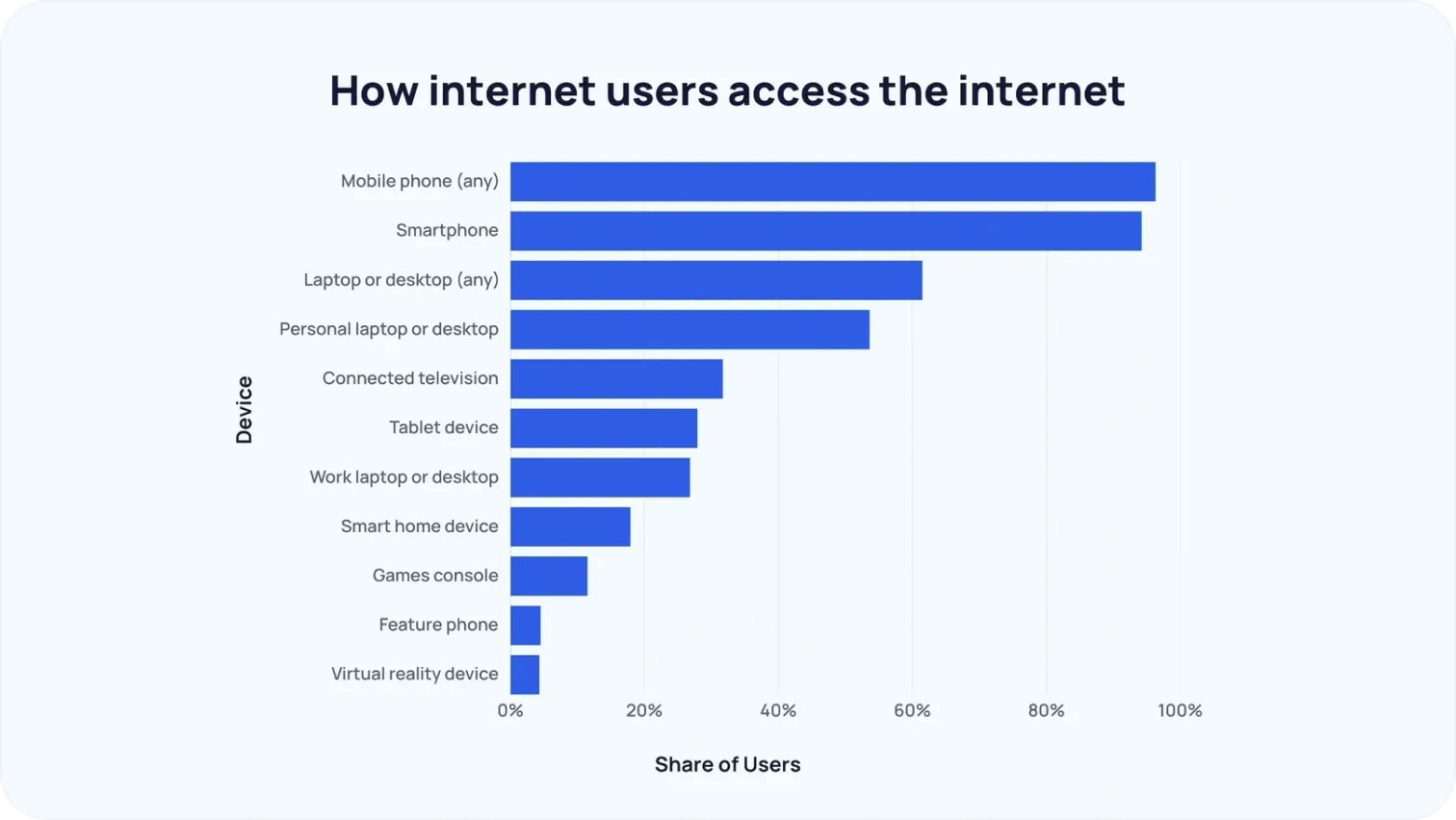
مع استثناءات قليلة (مثل b2b)، تأتي معظم الزيارات إلى معظم مواقع الويب من الأجهزة المحمولة. لم يعد هذا خبرًا.
- يجب أن يعمل التصميم جيدًا بنفس القدر على أي حجم شاشة.
- لا يعد تباين الألوان والنص البديل والتنقل المنطقي إضافات اختيارية، بل هي الأساس.
لذا انسَ إغراء الحكم على موقع الويب الخاص بك حصريًا استنادًا إلى شاشات الكمبيوتر الكبيرة.
ثق من الثواني الأولى
قبل قراءة كلمة واحدة، يقرر المستخدمون بالفعل ما إذا كانوا يريدون البقاء أو المغادرة.
- تساعد شعارات العملاء والشهادات والإشارات الإعلامية على إثبات المصداقية.
- تعمل صور الفريق الحقيقية ورواية القصص الشفافة حول هويتك على بناء الثقة.
تحسين محركات البحث في عام 2025: ما الذي يعمل حقًا
توقف SEO منذ فترة طويلة عن حشو الكلمات الرئيسية. اليوم، ما يهم حقًا هو:
- أن تكون مفيدة. تقوم خوارزميات Google بتقييم جودة المحتوى والخبرة والبنية. إذا كانت صفحتك لا تلبي احتياجات المستخدمين، فسيتم تصنيفك في المرتبة الأدنى.
- تحسين البحث بالذكاء الاصطناعي. AEO، GEO - تتصرف محركات البحث بشكل متزايد مثل روبوتات الدردشة التي تقدم إجابات قصيرة وذات مغزى. من بين أمور أخرى، هذا يعني أيضًا أنه إلى جانب بناء الروابط، يجب عليك أيضًا الحصول على إشارات عالية الجودة للعلامة التجارية.
- مراقبة الصحة الفنية. خرائط المواقع، HTTPS، السرعة، الجوّال أولاً - كل هذا يظل ملائمًا بنفس القدر. يعيق تحسين محركات البحث التقني الضعيف قدرة الذكاء الاصطناعي وبرامج الزحف على تحليل صفحاتك.
الصفحات الرئيسية التي يجب إتقانها
لن ينجح أي تصميم أو جهد لتحسين محركات البحث إذا لم يتمكن المستخدمون من العثور على المعلومات التي يحتاجون إليها بسرعة وبدون عناء. لهذا السبب يجب التفكير في صفحات معينة على موقع الويب حتى أدق التفاصيل. إنها تشكل الانطباع الأول وتبني الثقة وتشجع العمل وتزيد من فرص بقاء المستخدم على الموقع. فيما يلي قائمة بالصفحات الأساسية التي يجب عليك تلميعها أولاً.
الصفحة الرئيسية
الصفحة الرئيسية هي وجه علامتك التجارية. يحكم المستخدمون على موقع الويب خلال أول 3-5 ثوانٍ، لذلك يجب أن يتضمن:
- تحديد المواقع بوضوح: من أنت وماذا تقدم. من الأفضل تجنب اللغة المنمقة أو المجازية المفرطة.
- أن تكون مفيدة. تقوم خوارزميات Google بتقييم جودة المحتوى والخبرة والبنية.
- تحسين البحث بالذكاء الاصطناعي. تعد AEO و GEO مهمين أكثر من أي وقت مضى، حيث تتصرف محركات البحث بشكل متزايد مثل روبوتات الدردشة التي تقدم إجابات قصيرة وذات مغزى. لذلك، تأكد من معرفة الكلمات الرئيسية التي تستهدفها ووضعها بشكل استراتيجي في المكان الأكثر أهمية: عنوان URL و H1 و H2 جنبًا إلى جنب مع العنوان التعريفي والوصف.
- الحفاظ على صحة الأساس التقني. لا تزال خرائط المواقع وHTTPS والسرعة والمبادئ التي تعطي الأولوية للجوّال ضرورية.

معلومات عنا
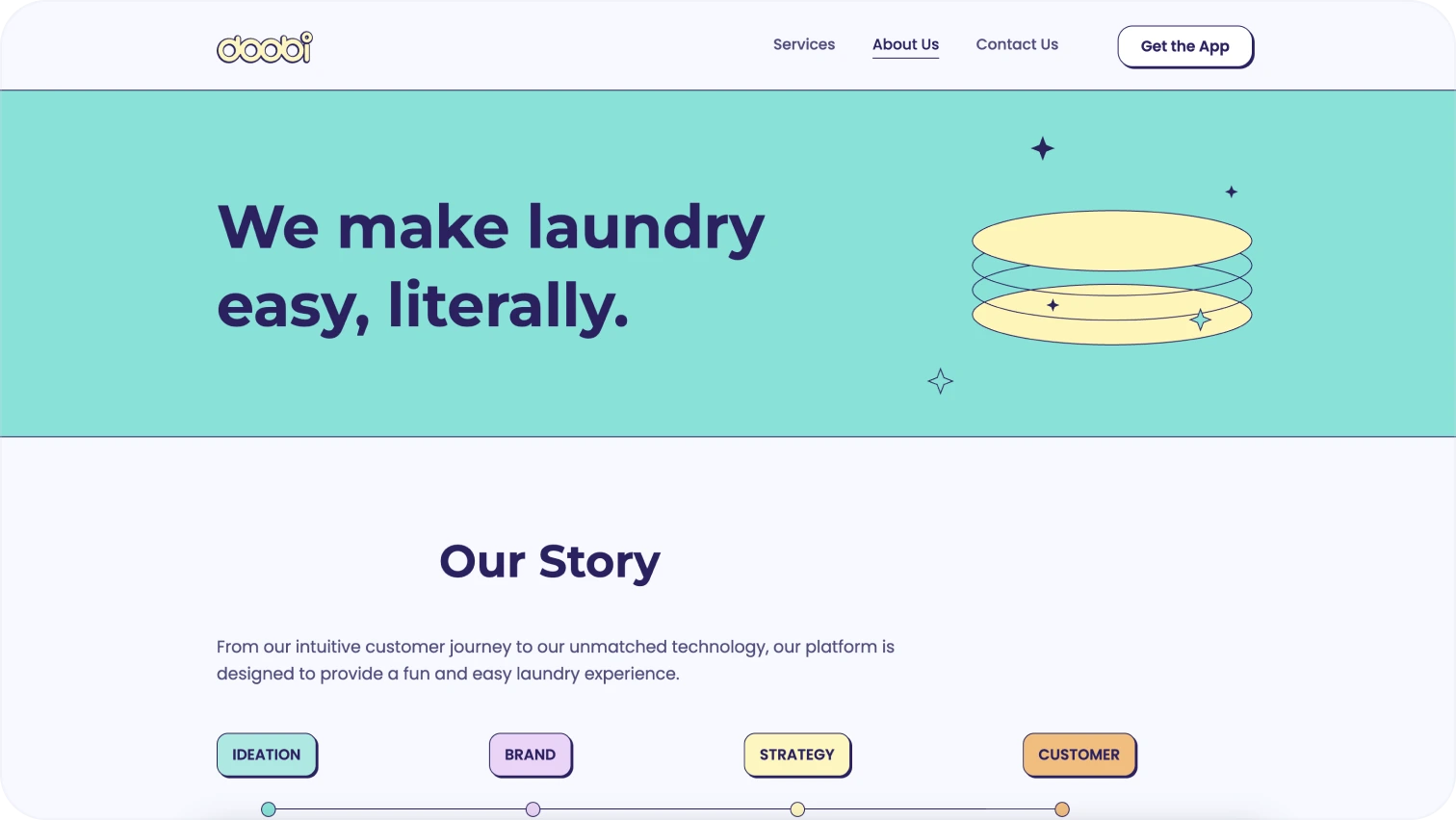
هذه هي القصة التي تبني الثقة. يشتري الناس من الناس. على هذا النحو، تأكد من أنه واضح:
- من أنت: مهمتك ومؤسسوك وفريقك وقيمك.
- ما يهم: نسخة موجزة أو صور أو ربما جدول زمني أو إشارات إعلامية.
- العناصر المرئية: صور شخصية، صور مكتبية، اقتباس من الرئيس التنفيذي، التسلسل الزمني.
خدمات
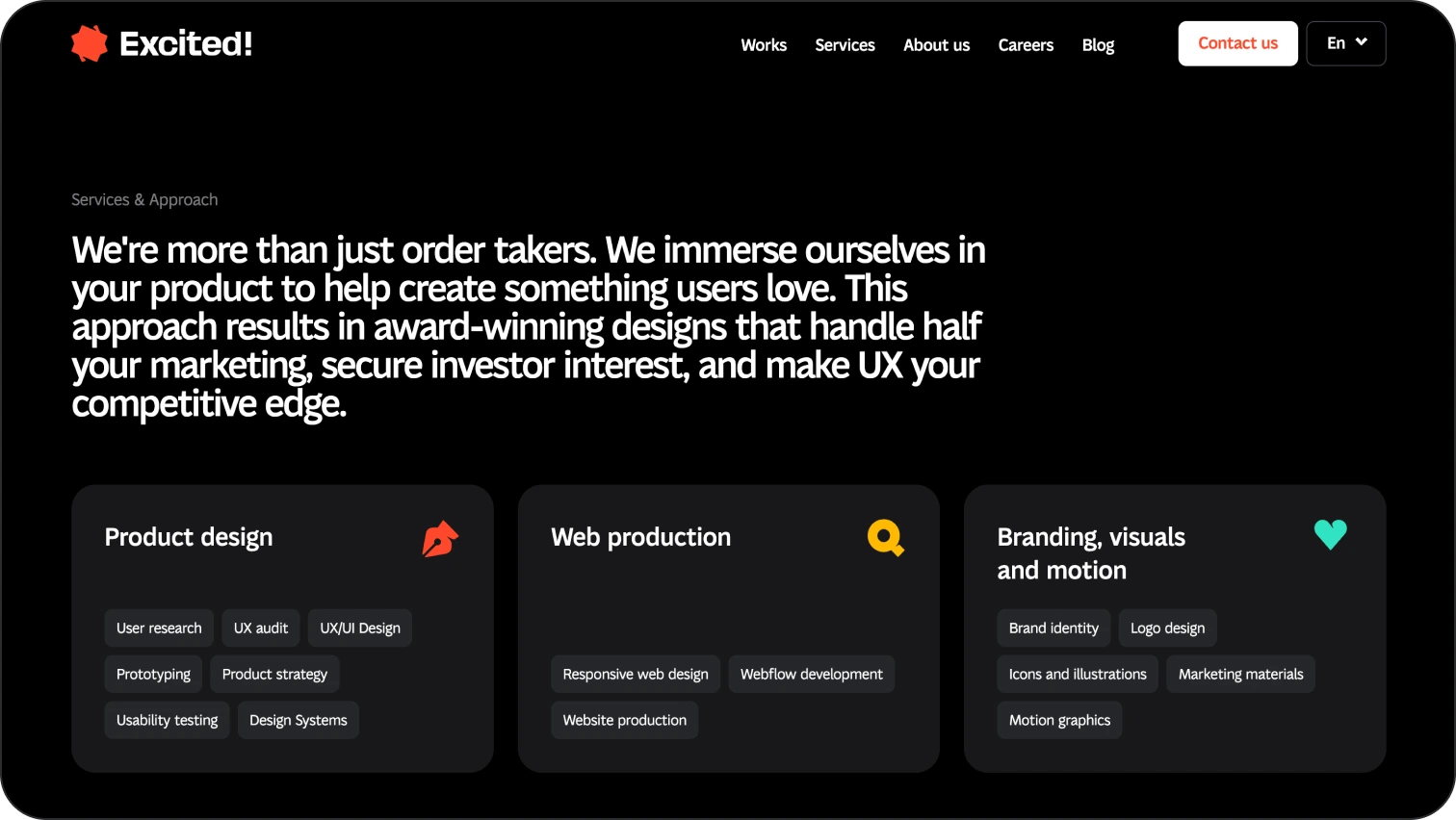
تشرح هذه الصفحة كيف يمكنك المساعدة بالضبط.
- أوصاف الخدمات أو المنتجات: مع أمثلة أو أسعار أو مزايا.
- لمن هو: المشاكل التي تحلها خدمتك.
- العناصر المرئية: الرموز وبطاقات الخدمة وعبارات الحث على الشراء بجانب كل عرض.
المدونة/الموارد
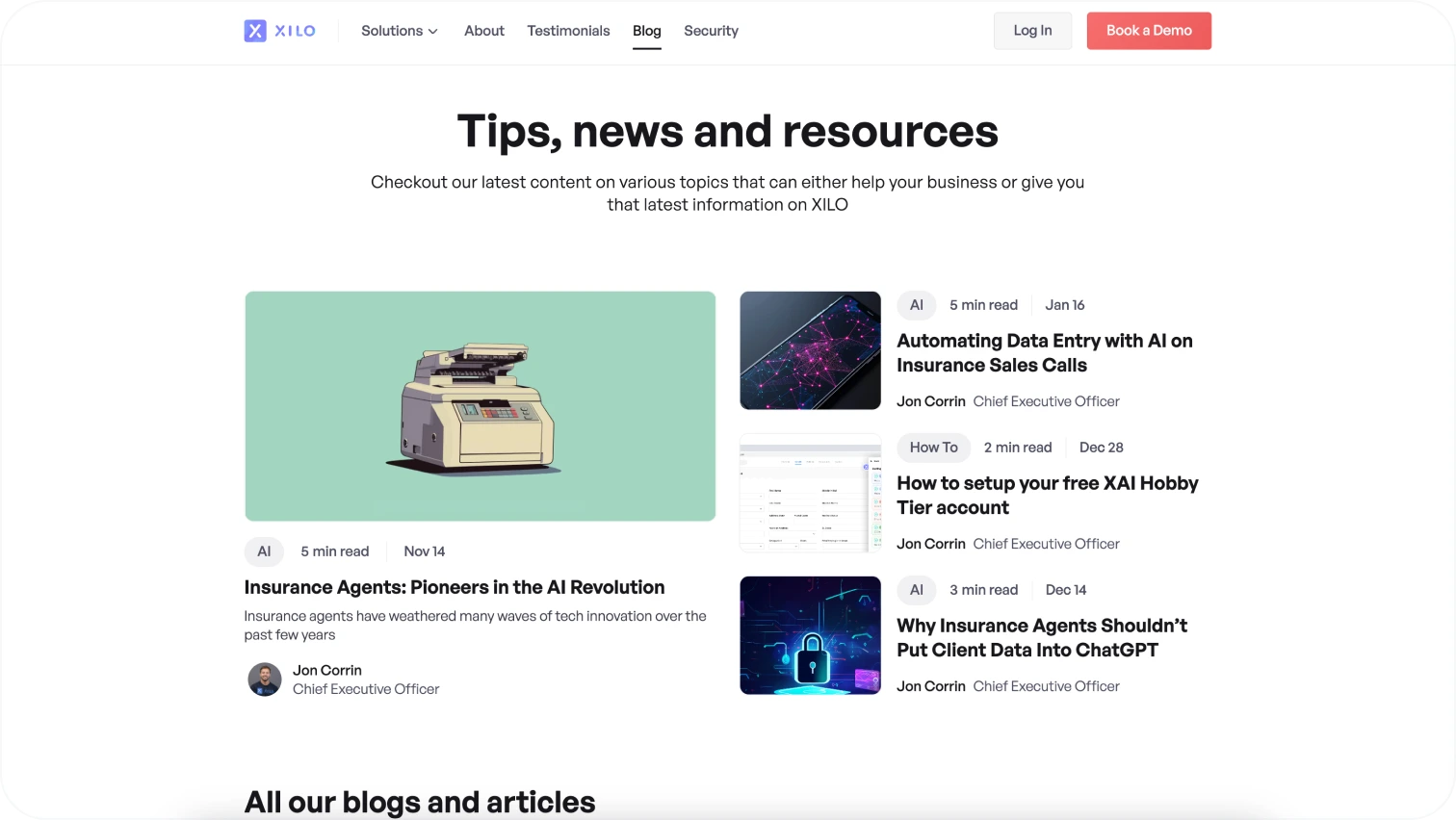
المدونة ليست مربع اختيار، إنها أداة لتحسين محركات البحث والخبرة والمشاركة.
- المحتوى: الأدلة والمقالات والأخبار والتحليلات المنشورة بانتظام.
- تحسين محركات البحث: الكلمات الرئيسية والنص المنظم والربط الداخلي.
- جاهز للذكاء الاصطناعي: محسّن لـ GEO/AEO (بحث الذكاء الاصطناعي).
مثال لصفحة مدونة من موقع Xilo.
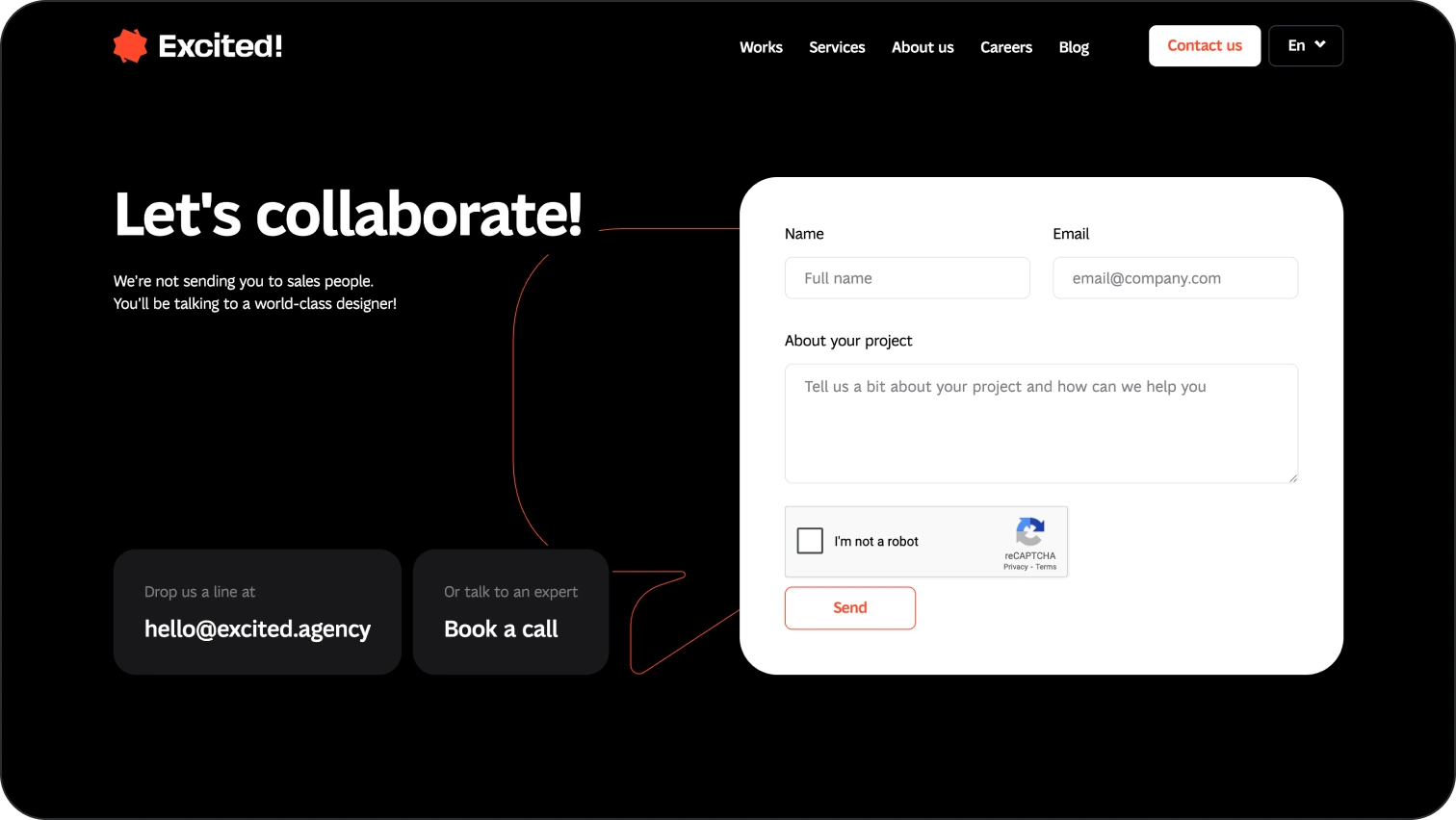
صفحة الاتصال
هذا هو المكان الذي يجب أن يحدث فيه التحويل.
- النماذج: بسيطة، مع الحد الأدنى من الحقول المطلوبة.
- CTAs: «إرسال طلب»، «حجز مكالمة»، «الاشتراك».
- كل شيء في مكان واحد: البريد الإلكتروني ورقم الهاتف والدردشة والخريطة والروابط الاجتماعية.
مثال على صفحة «الاتصال» من موقعنا.
كيفية تحسين موقع الويب الخاص بك: ما يستحق القيام به
تساعدك هذه الممارسات في إنشاء موقع ويب لا يبدو جيدًا فحسب، بل يتحسن باستمرار ويتكيف مع احتياجات المستخدمين الحقيقيين.
ضمان سرعة موقع الويب
لماذا يهم:
تعد سرعة تحميل الصفحة عاملاً مهمًا لكل من UX و SEO. لا ينتظر المستخدمون، من 1 إلى 3 ثوانٍ هو الحد الأقصى قبل أن يزداد خطر السقوط بشكل كبير. الشيء نفسه ينطبق على Google. كلما كانت الصفحة أبطأ، قل احتمال ترتيبك.
كيفية تحسينها:
- تحسين الصور: استخدام تنسيقات مثل WebP أو AVIF يقلل بشكل كبير من حجم الملف. تعد ملفات png الكبيرة أمرًا محظورًا.
- التحميل البطيء: لا تقم بتحميل محتوى غير مرئي بعد على الشاشة.
- تصغير الكود: تقليل ودمج ملفات CSS و JS و HTML.
- استخدم CDN: يتم تحميل المحتوى من أقرب خادم.
- اختبر باستخدام إحصاءات Google PageSpeed: ركز على LCP وFID وINP وCLS.
اجعل التنقل في الموقع واضحًا وسهلاً
لماذا يهم:
يعني التنقل الضعيف أن المستخدمين لا يمكنهم العثور على ما يحتاجون إليه، ويغادرون. يساعد التنقل الجيد المستخدمين على توجيه أنفسهم بسرعة، بغض النظر عن خلفيتهم التقنية.
كيفية تحسينها:
- بنية بديهية: فئات منطقية وتسميات قوائم واضحة.
- العنوان اللاصق: يمكن الوصول إلى التنقل دائمًا.
- فتات الخبز: مفيدة بشكل خاص لمواقع الويب الكبيرة أو التجارة الإلكترونية.
- تذييل يحتوي على جميع الروابط الرئيسية.
- وظيفة البحث: مع الإكمال التلقائي والاقتراحات.
تحليل تجربة المستخدم
لماذا يهم:
ما يبدو منطقيًا للمصمم والمطور قد يكون مربكًا للمستخدم. تكشف التحليلات عن السلوك الحقيقي ونقاط التردد ومسارات الخروج.
كيفية تحسينها:
- استخدم Hotjar أو Microsoft Clarity: خرائط الحرارة وخرائط التمرير وتسجيلات الجلسة.
- Google Analytics 4 (GA4): الأحداث ومصادر الزيارات وسلوك المستخدم.
- اختبار A/B: قارن بين نسختين من العناصر أو الصفحات.
- الاستطلاعات في الموقع: أسئلة قصيرة مثل «هل كان من السهل العثور على المعلومات التي تحتاجها؟»
كيف يساعد تحسين محركات البحث في جعل موقع الويب الخاص بك أفضل
لا يقتصر تحسين محرك البحث على الكلمات الرئيسية فقط. في عام 2026، يعد تحسين محركات البحث (SEO) مزيجًا من الأساس التقني المتين والمحتوى ذي الصلة والبنية الواضحة التي تساعد المستخدمين والخوارزميات على اكتشاف موقعك.
تعرف على ترتيب موقعك في البحث
الخطوة الأولى هي فهم وضعك الحالي.
- تحقق من الكلمات الرئيسية التي تقوم بترتيبها، والصفحات التي تحقق أفضل أداء، وكيف تتغير التصنيفات بمرور الوقت.
- استخدم أدوات مثل:
- وحدة تحكم بحث Google
- أهرفس/إيمروش/أوبيرسوغت
- أجهزة محاكاة SERP
- قم بتحليل ليس فقط وضعك الخاص ولكن أيضًا المنافسين: تنسيقات المحتوى التي تناسبهم والاستعلامات التي يغطونها. بالنسبة لأبحاث المنافسين، يعد SimilarWeb معيارًا صناعيًا.
تحسين محرك البحث الفني
تحسين محركات البحث التقني هو الأساس الذي بدونه لن يعمل المحتوى ببساطة. وهي تشمل:
- بنية عنوان URL نظيفة (واضحة وقصيرة وبدون رموز غير ضرورية).
- تحسين السرعة.
- تصميم مناسب للجوّال (الاستجابة ضرورية منذ فترة طويلة).
- إصلاح أخطاء الزحف (404، التكرارات، عمليات إعادة التوجيه).
- خريطة موقع XML و robots.txt - تساعد Google على فهرسة موقعك بشكل صحيح.
- ترميز المخطط/البيانات المهيكلة - يساعد المحتوى الخاص بك على الظهور في إجابات الذكاء الاصطناعي ونتائج البحث المحسّنة (المقتطفات المنسقة).
ستساعدك أدوات مثل ahrefs على فهم ما إذا كان موقع الويب الخاص بك يحتوي على أي مشكلات معلقة.
محتوى جديد
تفضل خوارزميات Google المحتوى الجديد والمفيد والملائم:
- راجع المقالات القديمة - أضف أمثلة جديدة وقم بتحديث الإحصائيات. لا تتردد في العثور على جدول مناسب لك، ولكن في Isted، نحاول تحديث المقالات بقدر ما ننشر مقالات جديدة.
- انشر صفحات جديدة بانتظام - منشورات المدونة ودراسات الحالة والأدلة.
- اكتب مع وضع هدف البحث في الاعتبار - لماذا يقوم المستخدم بإجراء هذا الاستعلام؟
- استخدم عناوين وقوائم وصور H1—H3 - لتحسين تجربة المستخدم وفهرسة الذكاء الاصطناعي وإمكانية مسح الصفحات.
- راقب كثافة الكلمات الرئيسية - تجنب الإفراط في التحسين، نظرًا لأنها علامة حمراء لـ Google.
أمثلة التصميم لتصميم الويب الفعال
موقع الويب الذي يعمل حقًا ليس فقط الموقع الذي يبدو حديثًا. إنه موقع ينقل جوهر المنتج دون كلمات غير ضرورية، ويوجه المستخدمين نحو الإجراء الصحيح، ويظل ممتعًا للاستخدام على أي جهاز. فيما يلي أمثلة لمواقع الويب التي تعرض منتجاتها من خلال التصميم، وليس فقط النص أو الإعلان.
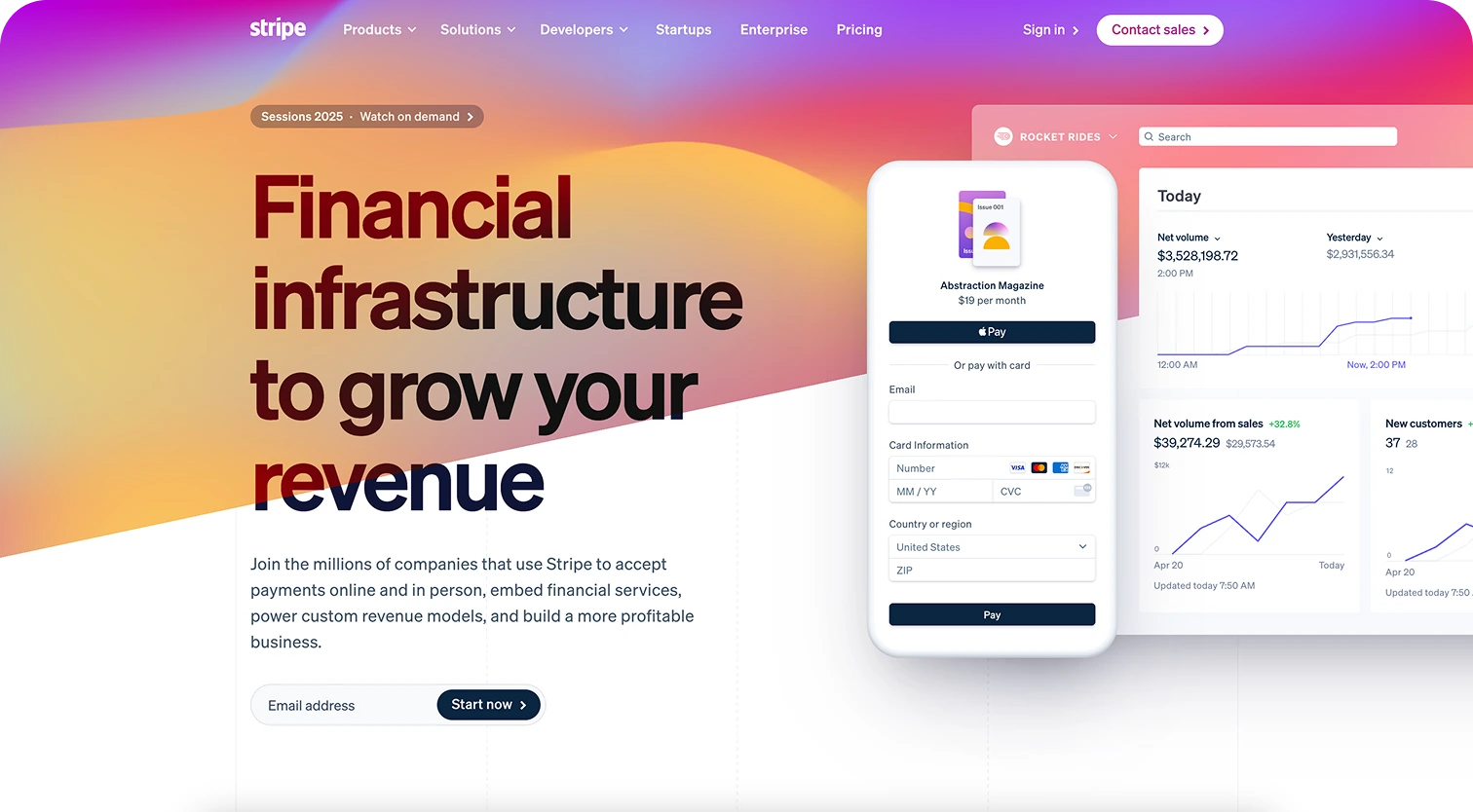
شريط
- تصميم بسيط مع تسلسل بصري قوي.
- الرسوم المتحركة التي تساعد على شرح المنتجات المعقدة.
- استجابة ممتازة: يمكن استخدامها تمامًا على الهاتف المحمول.
- محتوى جيد التنظيم مناسب للبحث بالذكاء الاصطناعي.
الملعب
- يتم عرض المنتج أثناء العمل: رسوم متحركة وأمثلة مضمنة.
- لوحة ألوان متناغمة وطباعة نظيفة.
- امسح عبارات CTA في كل مرحلة من مراحل التمرير.
- صفحات مدونة ذات بنية صديقة لتحسين محركات البحث.

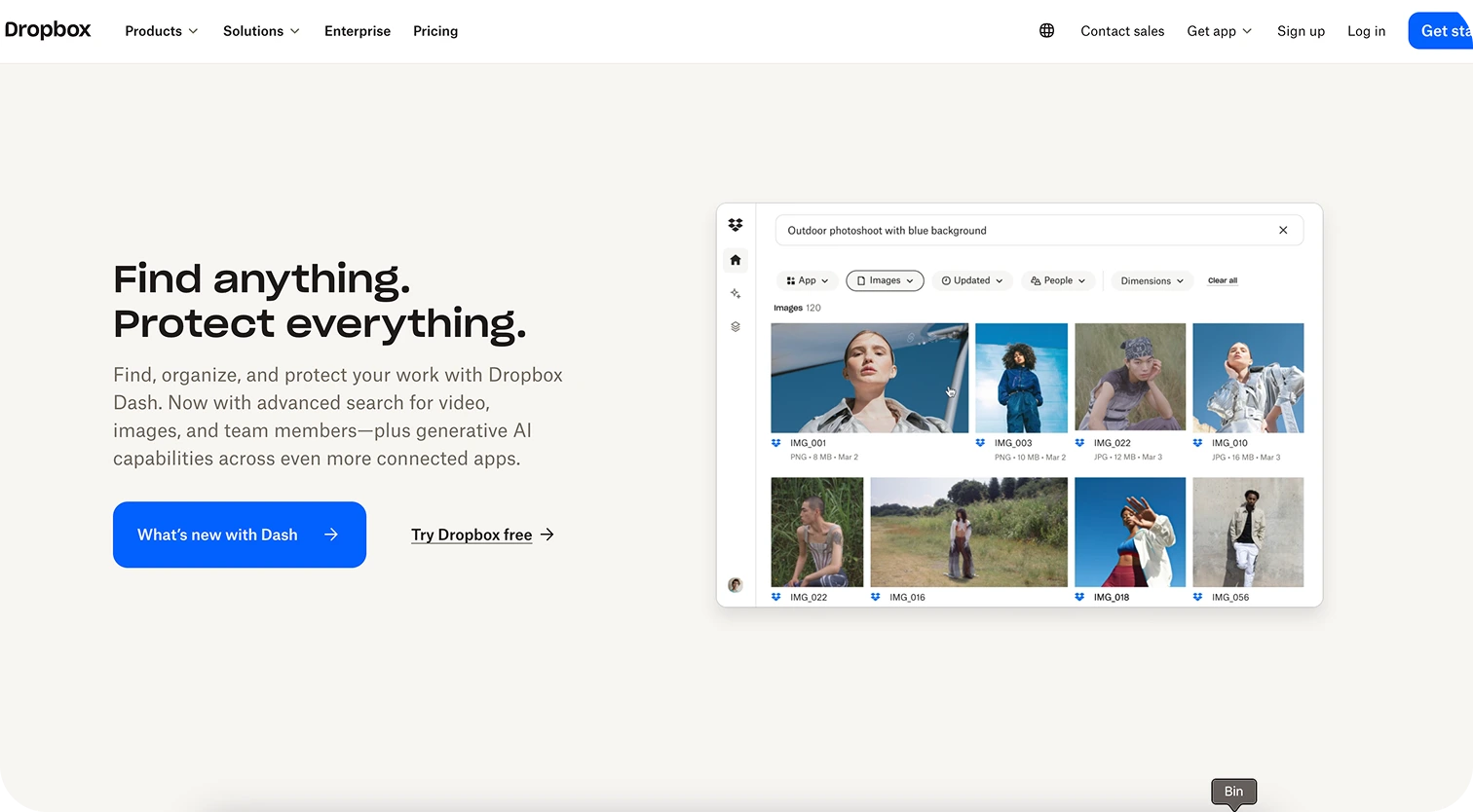
بصندوق الإسقاط
- عناوين كبيرة ورسائل واضحة.
- عرض فوري للوظائف على الشاشة الأولى.
- التنقل السريع بين المنتجات والأسعار.
- تجربة هاتف محمول قوية.
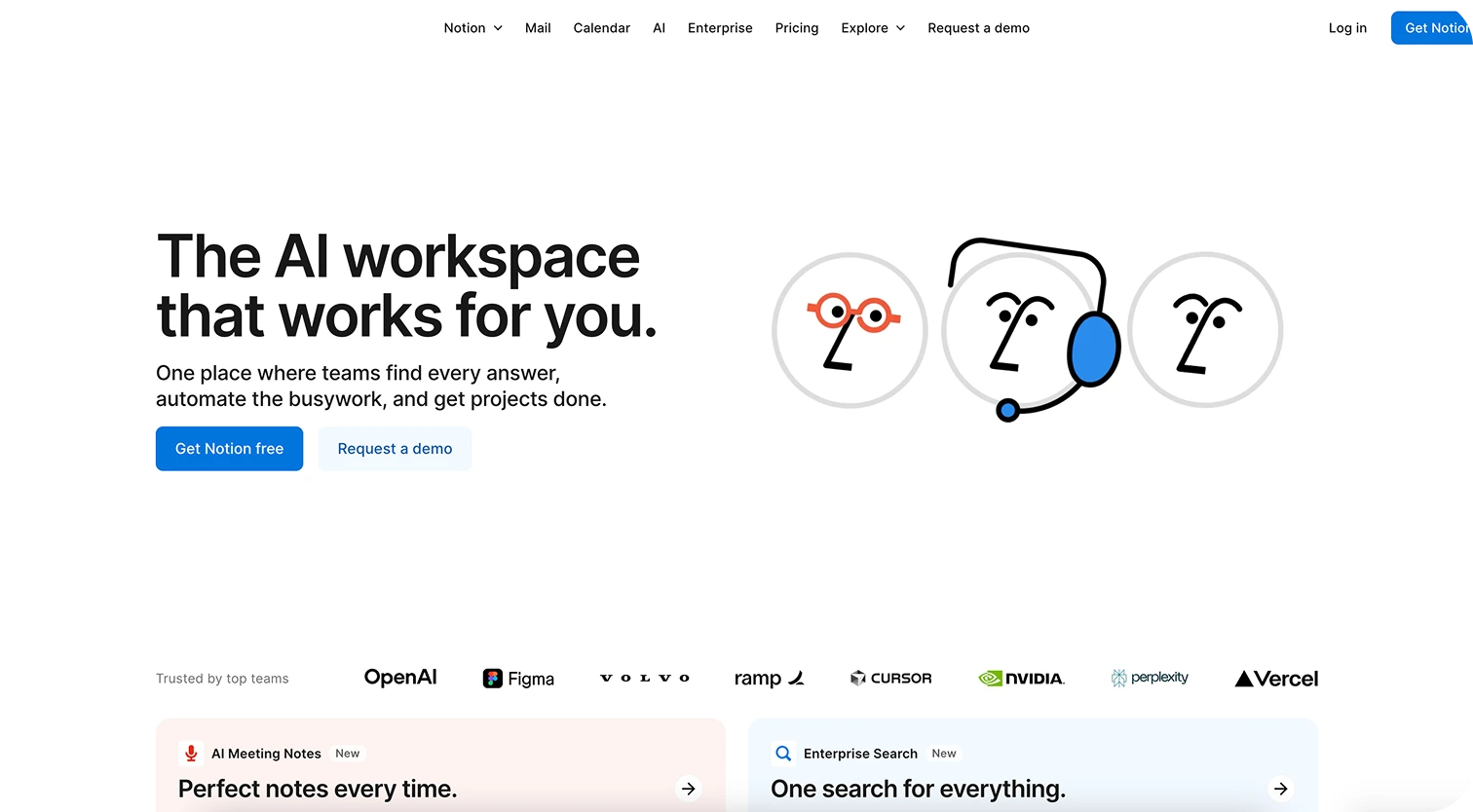
الفكرة
- كتل بسيطة مع الحد الأدنى من الانحرافات.
- مقاطع فيديو وأمثلة تعرض حالات استخدام حقيقية.
- صفحات منفصلة لكل شريحة من الجمهور المستهدف.
- كمية كبيرة من المحتوى الملائم لتحسين محركات البحث: مراكز المساعدة والأدلة والمدونة.
كيفية تحسين أداء موقع الويب: أفضل الأدوات
قد يبدو قول بعض النصائح التي شاركناها حتى الآن أسهل من تنفيذها. ومع ذلك، لا تقلق. أدناه، قمنا بإدراج بعض الأدوات المفيدة لمساعدتك في رحلة تحسين موقع الويب الخاص بك.
السرعة والأداء
- Google PageSpeed/GTmetrix - تحليل سرعة التحميل واقتراح التحسينات.
- WebPageTest - يتحقق من المقاييس الرئيسية (LCP، CLS، INP).
تحسين محركات البحث والرؤية
- Google Search Console - تساعدك على فهم كيفية رؤية Google لموقعك.
- Ahrefs/SEMrush - تحليل التصنيفات والكلمات الرئيسية والروابط الخلفية.
تحليلات UX
- Hotjar/Microsoft Clarity - خرائط الحرارة وتسجيلات الجلسة.
- GA4 - التقارير السلوكية والتحويلات.
إمكانية الوصول والتدقيق الفني
- Lighthouse - عمليات تدقيق سريعة للأداء وإمكانية الوصول.
- WAVE/axe - يتحقق من الامتثال لمعايير WCAG.
الخطوات التالية: كيفية تنفيذ التحسينات
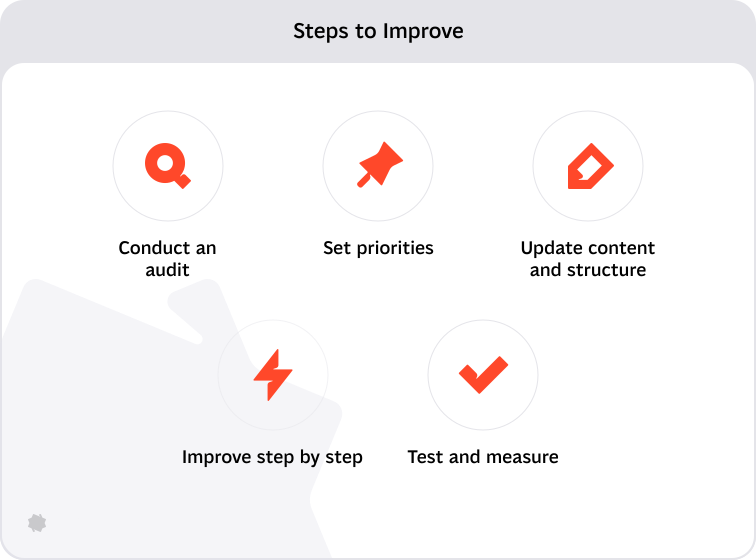
الآن بعد أن وصلت إلى نهاية المقالة، دعنا نقدم لك بعض الإرشادات القابلة للتنفيذ.
قم بإجراء تدقيق
- تحقق من سرعة الموقع (عبر PageSpeed أو GTmetrix).
- تحليل مقاييس تحسين محركات البحث (عبر Search Console، Ahrefs).
- راجع UX والملاحة (رحلات المستخدم، خرائط الحرارة، GA4).
هل ترى أي شيء يحتاج إلى تحسين؟ حسنًا، لديك الآن عمل شاق من أجلك.
حدد الأولويات
- افصل المهام إلى التقنية (السرعة وتحسين محركات البحث) والمرئية (التصميم والمحتوى).
- قم بتقييم ما له أكبر تأثير على التحويل والثقة.
تحديث المحتوى والبنية
- تحديث الصفحات الرئيسية: الصفحة الرئيسية، حول، الخدمات، جهة الاتصال.
- قم بتحسين البيانات الوصفية والعناوين ونص ALT والروابط الداخلية.
تحسين خطوة بخطوة
- ابدأ بمكاسب سريعة - تغييرات بسيطة تحقق نتائج ملحوظة.
- انتقل إلى تحسينات أعمق: إعادة التصميم واستراتيجية تحسين محركات البحث وتخطيط المحتوى.
الاختبار والقياس
- تنفيذ التغييرات ← تتبع النتائج (التحويلات، الوقت على الموقع، التصنيفات).
- استخدم اختبار A/B لـ CTAs أو الصفحات الرئيسية.
وأخيرًا: أهم شيء
إذا كنت تخطط للتحسينات، فابدأ بالتحليل، وحدد أولويات واضحة، وتصرف بشكل تدريجي، وقم بقياس النتائج. تذكر: حتى التغييرات الصغيرة يمكن أن يكون لها تأثير كبير على الرؤية ومشاركة المستخدم.
Service short description