

UX evaluation is the process of checking how well a product works for the people who use it. It combines expert reviews of the user interface with sessions where real users try to complete tasks, so you find usability problems before they cost you conversions, support tickets or churn.
UX evaluation is the process of checking how well a product works for the people who use it. It combines expert reviews of the user interface with sessions where real users try to complete tasks. The goal is to find usability problems before they cost you conversions, support tickets or churn.
Most teams do not lack ideas. They lack evidence about which parts of the interface slow people down. A structured review turns opinions about the UI into a ranked list of fixes, and it is far cheaper to run early in the design process than after launch.
What Is UX Evaluation?
UX evaluation is a set of research methods used to assess the usability, accessibility and overall user experience of a product. It answers one question: can people reach their goals with this interface, and how easily? It helps teams understand user needs in practice, not in theory.
It differs from general user research. Research explores user needs before anything is built. An evaluation checks a specific design, prototype or live product against those needs.
What Role Does Evaluation Play in the Design Process?
Evaluation is the feedback loop of UX design. Designers make decisions about navigation, layout and copy, and testing tells them which decisions hold up.
On a typical product, the UX designer runs small checks at three points:
- Concept stage. A quick expert review of wireframes catches flow and structure issues.
- Prototype stage. Short sessions with five or so participants show where people hesitate.
- Live product. Analytics, surveys and support data show where people drop off at scale.
Formative vs. Summative Evaluation: What's the Difference?
Formative evaluation happens during design and aims to improve the product. Summative work happens after a release and measures how well the finished product performs.
| Formative | Summative | |
|---|---|---|
| When | During design | After release or at a milestone |
| Goal | Find and fix problems | Measure and benchmark |
| Typical data | Observations, quotes | Task success rate, time on task, SUS score |
| Sample size | 3 to 8 participants per round | 20+ participants or analytics data |
| Output | Prioritised list of UX issues | Score you can compare over time |
Most product teams need both. Formative rounds shape the design. A summative check then proves the change worked.
{{{{service-card}}}}
What Are the Main UX Evaluation Methods?
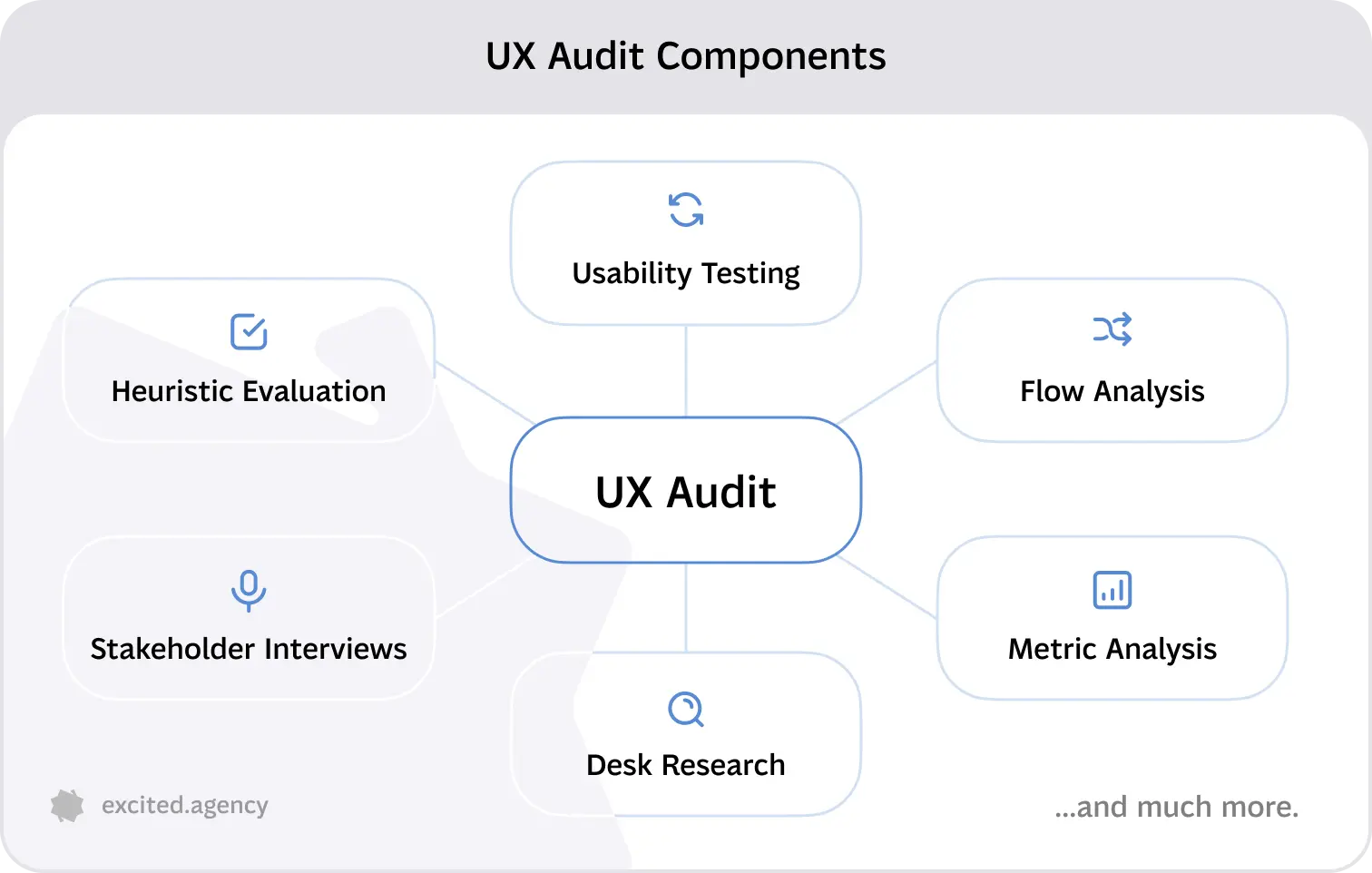
The main methods fall into two groups: expert-based reviews and user-based studies. The first relies on trained reviewers. The second relies on watching or measuring actual people.
Expert-Based vs. User-Based Evaluation Methods
Expert-based methods ask UX researchers or senior designers to inspect the interface against established principles. They are fast and cheap. They catch obvious issues but can miss problems that only appear with real tasks.
User-based methods put the product in front of the people it is built for. They are slower and need recruiting. They reveal user behavior that no checklist predicts.
| Method | Type | Best for | Typical time | Cost |
|---|---|---|---|---|
| Heuristic review | Expert | Early designs, quick audits | 1 to 3 days | Low |
| Cognitive walkthrough | Expert | Onboarding and first-use flows | 1 to 2 days | Low |
| Moderated testing | User | Understanding why people struggle | 1 to 2 weeks | Medium |
| Unmoderated testing | User | Fast feedback at larger scale | 2 to 5 days | Medium |
| A/B testing | User (live) | Choosing between two versions | 2 to 6 weeks | Medium to high |
| Surveys and analytics | User (live) | Measuring satisfaction and drop-off | Ongoing | Low |
Which UX Evaluation Method Should You Use, and When?
Pick the method by the question you need answered and the stage you are at.
- "Is anything obviously broken?" Start with an expert review. It costs days, not weeks.
- "Why are people getting stuck?" Run moderated sessions and ask them to think aloud.
- "Which version performs better?" Use an A/B test on live traffic.
- "How satisfied are users overall?" Use a standard questionnaire such as the System Usability Scale.
A common and efficient sequence is an expert review first, then fixes, then a round of user testing on the improved version. This stops participants from tripping over issues an expert could have found in an afternoon.
What Is a Heuristic Evaluation?
A heuristic evaluation is an expert review in which a small group of evaluators inspects an interface against a set of recognized usability principles, called heuristics. Each reviewer works alone, notes every violation, and rates its severity. The findings are then merged into one list.
The method was developed by Jakob Nielsen and Rolf Molich in 1990. It remains one of the most widely used inspection methods in human computer interaction and user experience design because it needs no participants and fits into a few days.
What Evaluation Criteria Are Used in a Heuristic Evaluation?
The standard criteria are Jakob Nielsen's 10 usability heuristics. Most teams use them as published, sometimes adding domain rules for fintech, healthcare or accessibility.
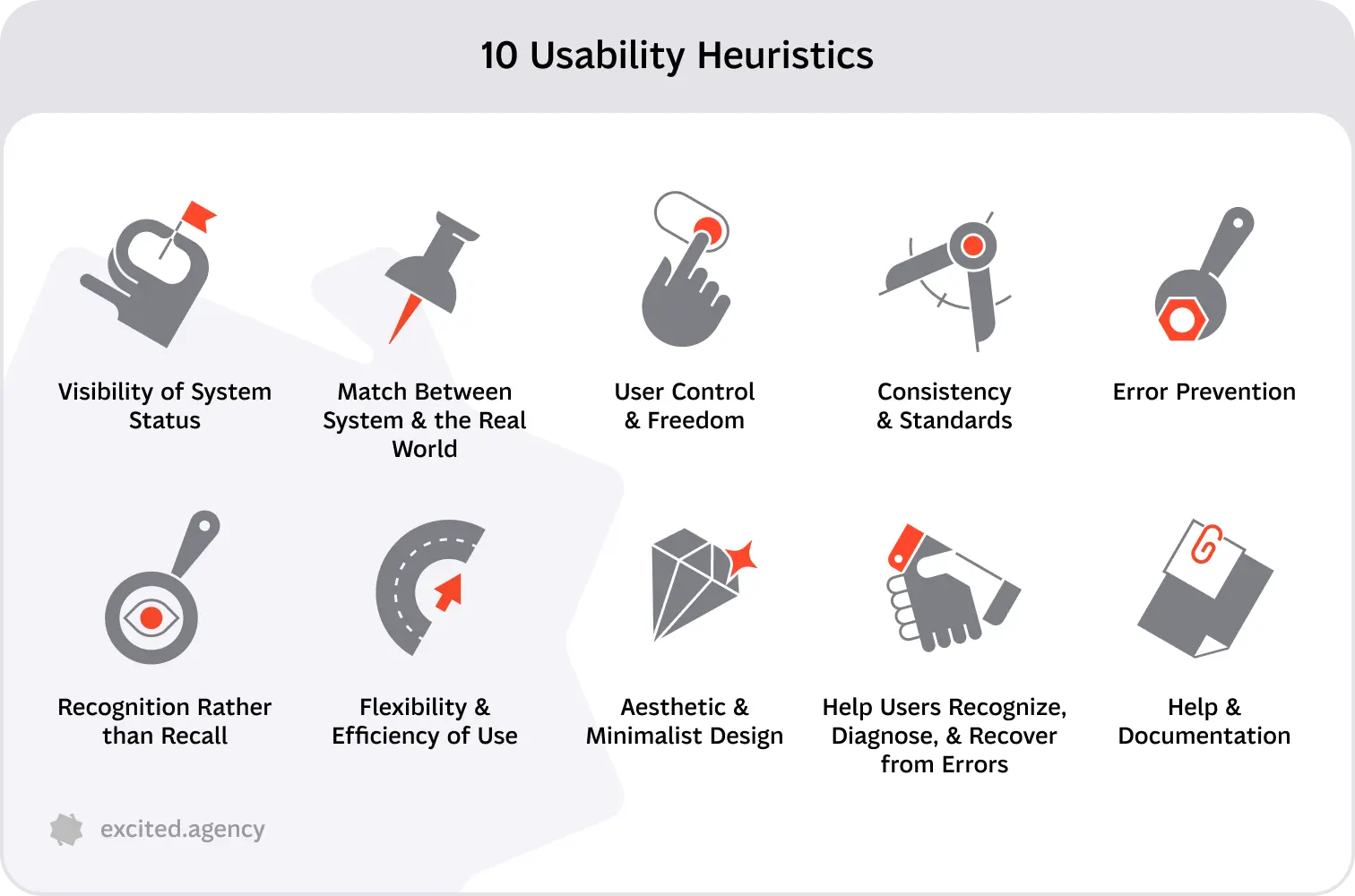
- Visibility of system status. The product tells people what is happening, quickly.
- Match between the system and the real world. It uses the user's language, not internal jargon.
- User control and freedom. People can undo, cancel and leave unwanted states.
- Consistency and standards. The same words and actions mean the same thing everywhere.
- Error prevention. The design stops mistakes before they happen.
- Recognition rather than recall. Options are visible, so people do not need to memorise them.
- Flexibility and efficiency of use. Shortcuts help experts without confusing novices.
- Aesthetic and minimalist design. Screens show only what matters for the task.
- Help users recognize, diagnose and recover from errors. Error messages are plain and offer a fix.
- Help and documentation. Guidance is easy to find when people need it.
How to Conduct a Heuristic Evaluation: Step-by-Step
- Define scope. Pick the flows that matter most, such as sign-up, checkout or the main dashboard.
- Choose three to five reviewers. One reviewer finds a fraction of the problems. Several independent reviewers find far more.
- Brief them on users and tasks. Reviewers judge the interface better when they know who it is for.
- Review independently. Each person walks through the flows twice, logging every violation with a screenshot.
- Rate severity. Use a 0 to 4 scale, from "not a problem" to "usability catastrophe".
- Merge and prioritise. Combine duplicates, then sort by severity and how often the issue occurs.
- Recommend fixes. Each finding should name the heuristic broken and a specific change.
A heuristic review is the core of a UX audit. Our audit checklist covers the screen-level checks we run on top of the 10 heuristics.
What Is a Cognitive Walkthrough?
A cognitive walkthrough is an expert method that steps through a task from the point of view of a first-time user. At every step the reviewer asks four questions:
- Will the user know what to do here?
- Will they notice the right control?
- Will they connect that control with their goal?
- Will they understand the feedback after acting?
It works best for onboarding and other flows where people have no prior knowledge of the product.
What Is a Usability Test?
A usability test is a session in which people try to complete realistic tasks with a product while a researcher observes. The researcher records where people succeed, hesitate or fail, and why.
Testing involves observing behavior, not asking people what they think of the design. What people do is more reliable than what they say they would do. That is why these sessions produce the most valuable insights of any method.
Types of Usability Tests: Moderated, Unmoderated, Remote, In-Person
| Type | How it works | Strength | Limitation |
|---|---|---|---|
| Moderated | A facilitator guides the session and asks follow-up questions | Deep understanding of why problems happen | Slower, needs a skilled moderator |
| Unmoderated | Participants complete tasks alone on a testing platform | Fast and scalable | No chance to probe unexpected behavior |
| Remote | Sessions run over video call or a testing tool | Reach users anywhere, lower cost | Less control over the environment |
| In-person | Participant and researcher in the same room | Rich observation of body language and context | Costly, limited to one location |

Moderated and unmoderated describe who runs the session. Remote and in-person describe where it happens. Most teams today run moderated remote sessions.
What Does a Usability Evaluation Method Actually Measure?
Any usability evaluation method measures some mix of three things: effectiveness, efficiency and satisfaction. This follows the ISO 9241-11 definition of usability.
- Effectiveness. Task success rate and number of errors.
- Efficiency. Time on task and number of steps.
- Satisfaction. Post-task ratings and questionnaires such as the System Usability Scale (SUS).
Formative rounds focus on qualitative findings: what went wrong and why. Summative rounds focus on the numbers. Our guide to UX metrics explains which ones to track over time.
How Many Participants Do You Need for a Usability Test?
Five participants per round is enough for most formative studies. Jakob Nielsen's research found that five users uncover about 85% of the problems in a design. After that, each extra person mostly repeats what you have already seen.

The rule has limits. If your product serves distinct user groups, test about five people from each group. For summative benchmarks with statistics, plan for 20 or more.
What Other UX Evaluation Methods Exist?
Beyond expert reviews and testing sessions, three groups of methods cover structure, comparison and scale.
Card Sorting and Tree Testing
Card sorting asks participants to group topics into categories that make sense to them. It shapes the information architecture. Tree testing then checks whether people can find items in a text-only version of that structure. Together they fix the structure before visual design starts.

A/B Testing
A/B testing shows two versions of a page to different groups of live users and compares a metric such as sign-ups. It tells you which version performs better. It does not tell you why, so pair it with qualitative research.
Surveys, Questionnaires, and Analytics-Based Evaluation
Surveys and questionnaires gather user feedback at scale. Standard tools include SUS, Net Promoter Score and in-app satisfaction ratings. Analytics show user interactions such as drop-off points, rage clicks and time on page. These sources are good at spotting where pain points are. Sessions with people then explain why they happen.

How to Evaluate User Experience: The Evaluation Process Explained
To do this well, follow five steps: set goals, pick methods, recruit, run the sessions, and turn findings into fixes.
- Set goals. Write the questions you need answered, tied to a business metric such as activation or checkout completion.
- Pick methods. Match each question to a method using the table above.
- Recruit participants. Find people who match your real audience.
- Run the study. Use the same tasks and script for every participant.
- Analyse and report. Group observations into issues, rate them, and recommend changes.
How to Recruit Participants for UX Evaluation
Recruit people who match your actual users on role, experience and context. A fintech dashboard should be tested with finance professionals, not with friends from the office.
Common sources include your own customer list, in-app intercepts, recruiting panels and LinkedIn for B2B roles. Use a short screener survey to filter out people who do not fit. Offer a fair incentive for the time you ask.
How to Analyze and Report UX Evaluation Findings
Turn raw notes into decisions in four moves:
- Cluster. Group similar observations into single issues.
- Rate. Score each issue by severity and frequency.
- Prioritise. Put high-severity issues on core flows at the top.
- Recommend. Pair each issue with a concrete design change and a clip or screenshot as evidence.

Keep the report short. Designers and developers act on a ranked list of ten clear issues. They ignore a 60-page document.
What Are Common Usability Issues, and How Do You Find Them?
These are recurring problems that stop people from completing tasks. Most can be found with a heuristic review and confirmed with five test participants.
Common Usability Issues by Category
| Category | Typical problem | How it shows up | Best method to find it |
|---|---|---|---|
| Navigation | Labels that do not match how users think | People open the wrong menu or use search for everything | Tree testing, sessions with users |
| Forms | Unclear fields, late error messages | Drop-off on sign-up or checkout | Analytics, heuristic review |
| Feedback | No loading or success states | Repeat clicks, duplicate submissions | Heuristic review |
| Content | Jargon and long blocks of text | People skim past key information | Testing with think-aloud |
| Visual design | Weak hierarchy, low contrast | Primary actions are missed | Heuristic review, accessibility check |
| Onboarding | Too many steps before value | Users leave before the first key action | Cognitive walkthrough, analytics |
Fixing these does not always need a redesign. Clearer labels, earlier error messages and visible system status often deliver a better user experience within one sprint.
UX Evaluation Tools: What Do Teams Actually Use?
Teams combine a testing platform, an analytics tool and a design tool. The right mix depends on budget and on how often you test.
| Need | Common tools |
|---|---|
| Moderated and unmoderated testing | Maze, Lyssna, UserTesting, Lookback |
| Session recordings and heatmaps | Hotjar, Microsoft Clarity, FullStory |
| Product analytics | Mixpanel, Amplitude, Google Analytics |
| Card sorting and tree testing | Optimal Workshop, Maze |
| Surveys | Typeform, Google Forms, in-app survey tools |
| Prototypes for testing | Figma |
An evaluation tool supports the method. It does not replace the judgement of an experienced UX design team in deciding what to test and what the results mean.
Heuristic Evaluation vs. Usability Test: Which Should You Use?
Use a heuristic review when you need fast, low-cost feedback on an early design. Use testing with users when you need to understand real behavior and prove that a fix works. The strongest approach uses both, in that order.
| Heuristic review | Testing with users | |
|---|---|---|
| Who does it | 3 to 5 UX experts | 5+ participants plus a facilitator |
| What it finds | Heuristic violations | Real task failures and their causes |
| Speed | 1 to 3 days | 1 to 2 weeks including recruiting |
| Cost | Low | Medium |
| Main risk | False positives and missed context | Small sample, artificial setting |
| Best stage | Wireframes, prototypes, audits of live products | Prototypes and live products |
A heuristic review is cheap enough to run on every major release. Testing with users is worth scheduling for every flow that drives revenue.
Conclusion
Good UX work is not one method. It is a habit of checking designs with experts first and real users second, then fixing what matters most. Start with a heuristic review of your most valuable flow, test the improved version with five people, and repeat. If you want an outside team to run it, our audit service covers both.
Service short description