

First impressions matter more than most teams expect. Data shows that when users don’t see product value quickly, they disengage — up to 75% of users abandon a product within the first week if onboarding is poor ⁽¹⁾. Effective onboarding has a measurable impact on retention and user loyalty, helping customers see value early and stick around longer.
However, good onboarding is easier said than done. In this article, we'll go over how to ensure optimal onboarding experience, as well as drive business goals. Without further ado, let's get into the article.
What Is Onboarding UX and Why It Matters
The role of onboarding in user experience
Onboarding UX is the process of helping new users understand how a product works and how it fits their needs. It’s often the first real interaction users have with a product beyond marketing, which makes it a critical part of the overall user experience. If users don’t quickly understand what to do or why the product is valuable, they’re unlikely to stick around.
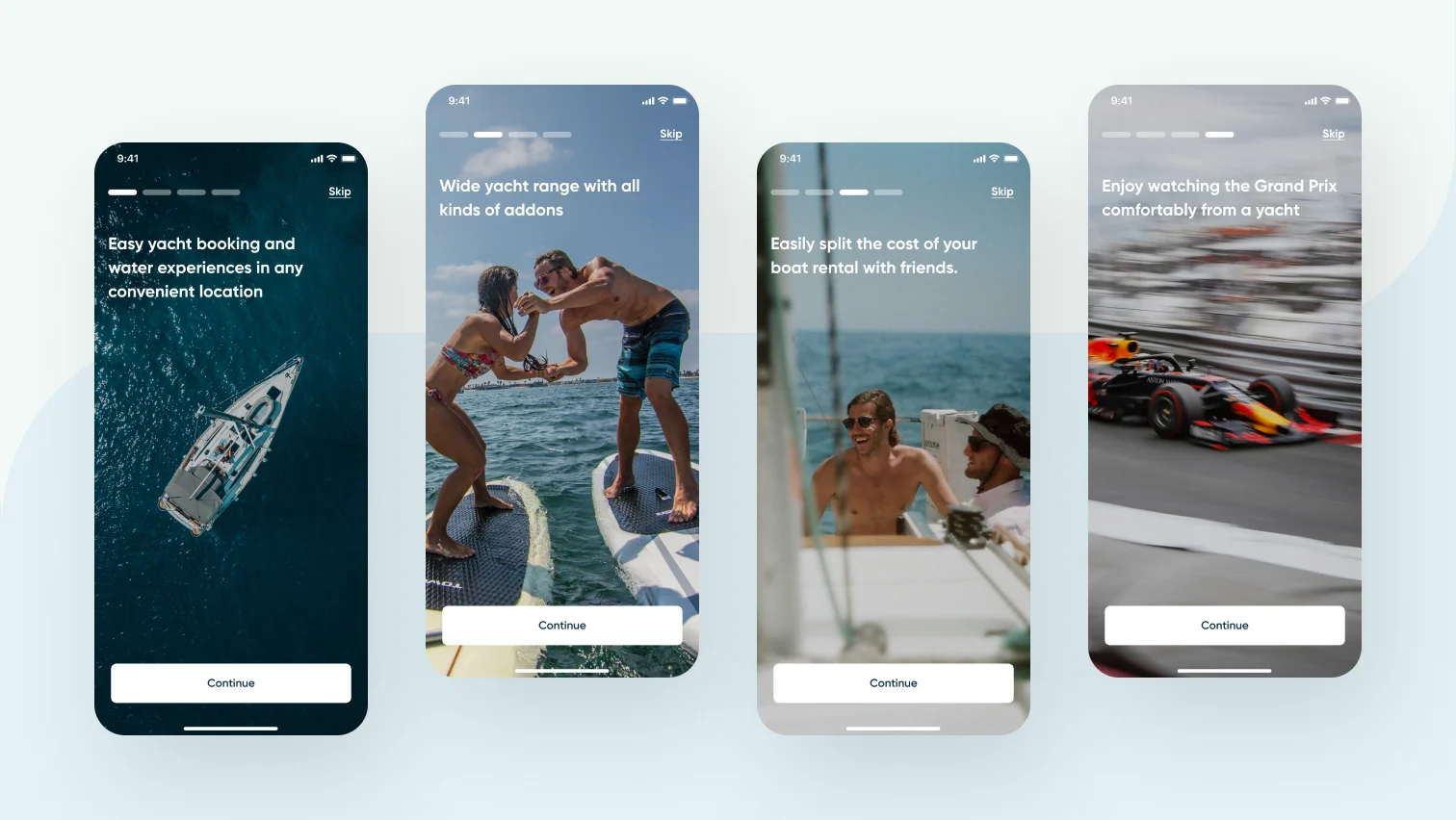
Around 90% of users churn if they don’t see value within the first week after signup, and poor onboarding is one of the most common reasons. At the same time, 86% of users say they’re more likely to stay loyal to a product that invests in onboarding content that welcomes and educates them, while users who experience smoother onboarding are 21% more likely to stay engaged.
Numbers aside, poor onboarding is a huge business liability that derails any marketing initiative you might have. What's the use of driving users to your app, if you lose most of them?
{{{{service-card}}}}
How effective onboarding improves retention and satisfaction
Effective onboarding shortens the path from an absolute stranger to a confident, returning user. Its fundamental goal is to guide users toward an aha moment—the point at which the product’s value becomes clear. Once users reach that moment, friction drops, satisfaction increases, and retention becomes significantly more likely.
Key Principles of Effective Onboarding
Define the Aha moment
The first step in designing effective onboarding is defining the aha moment, i.e. the point where users clearly understand the product’s value. This is the action or outcome that makes users think, “This is useful.” No aha moment means no perceived value, resulting in high churn.
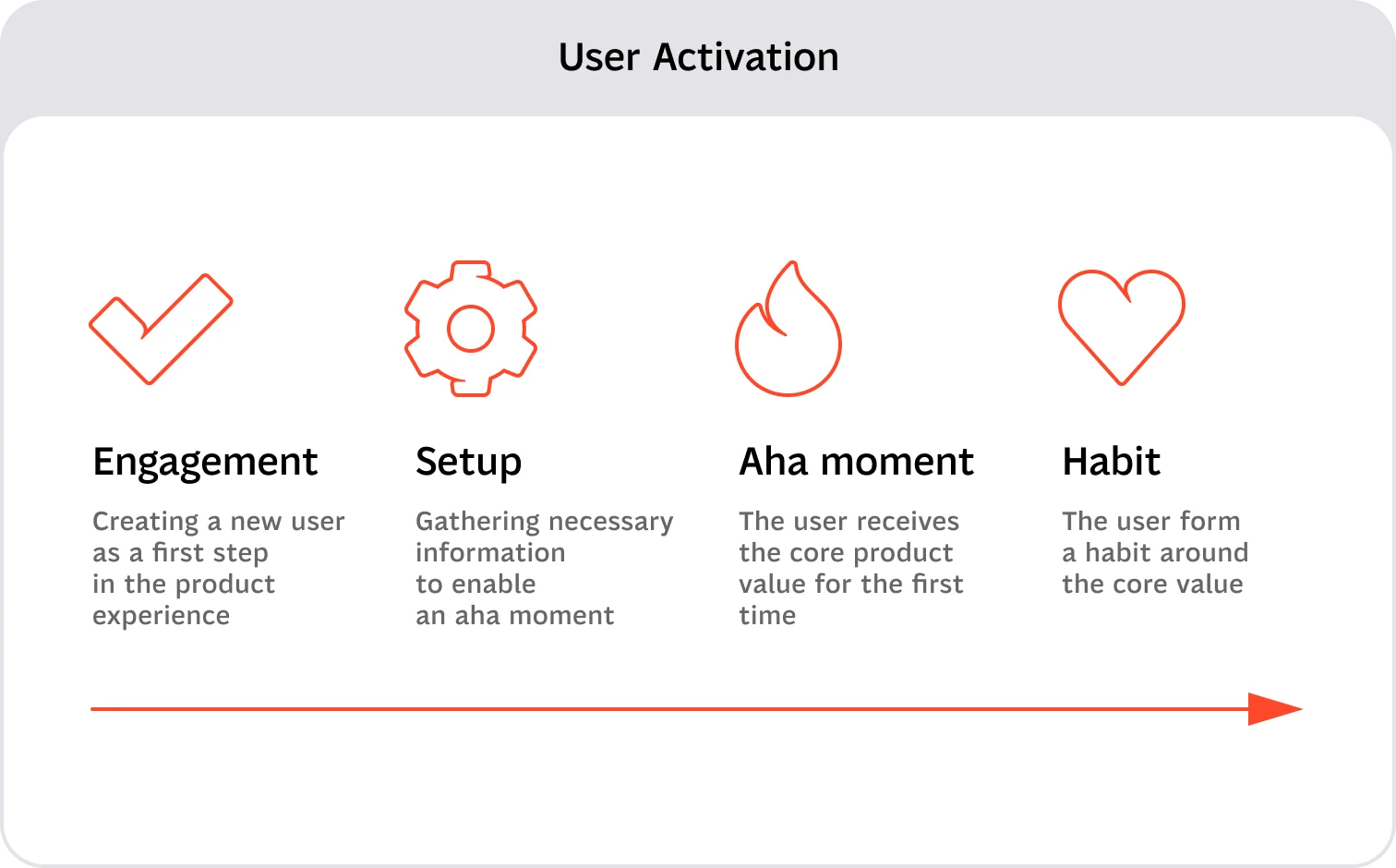
To identify it, look at product analytics or talk directly to users. Which action correlates most strongly with retention? Which feature solves the core problem users came for? Onboarding should focus on guiding users to that moment as quickly as possible.
Clarity and simplicity in onboarding flows
Onboarding should ask for the minimum amount of information and effort required to reach the aha moment. Every additional step, screen, or question increases the risk of early drop-off.
Anything that doesn’t directly help users reach value is secondary and can be introduced later through progressive onboarding.
Personalization and contextual guidance
In more complex products, the aha moment may differ depending on the user type. In these cases, it’s important to understand who the user is before pushing them through a one-size-fits-all flow.
Simple screeners or early choices can help tailor onboarding, ensuring users see guidance that’s relevant to their goals instead of generic instructions.
Consistency across touchpoints
Onboarding often teaches users how to complete a specific flow or action. The patterns, components, and interactions used during onboarding should remain consistent across the product.
Consistency is what makes an interface feel intuitive. When onboarding patterns don’t match the rest of the product, users are forced to relearn behaviors, increasing friction and confusion.
Types of UX Onboarding
It's worth noting that there are plenty of types of onboarding. You shouldn't get too fixated on making sure your experience fits into a certain type perfectly. The types below should serve as an inspiration on what works best in your particular case.
Now that we have a good idea as to what kinds of onboarding there are, let's go over each of them in more detail.
Interactive tutorials
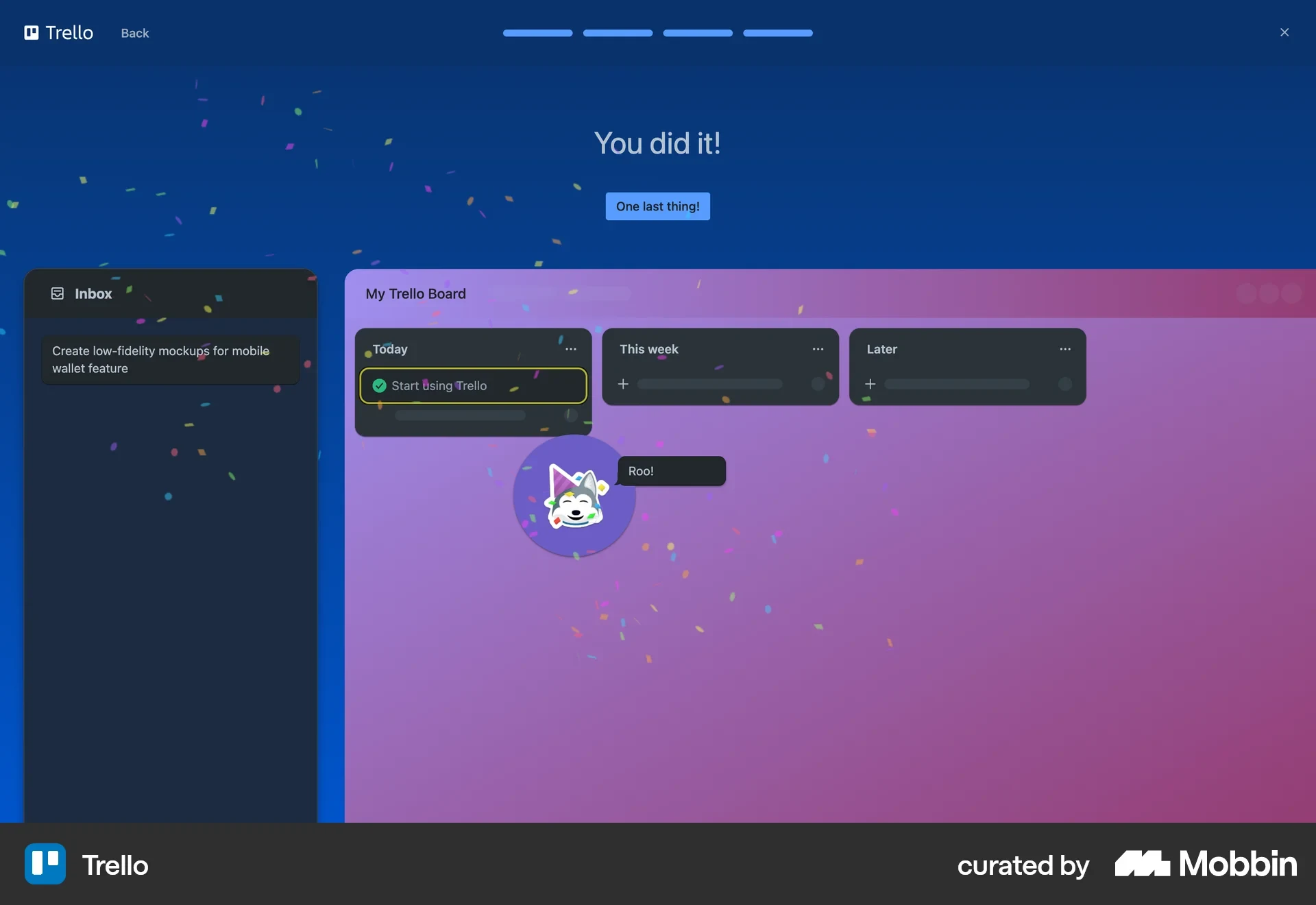
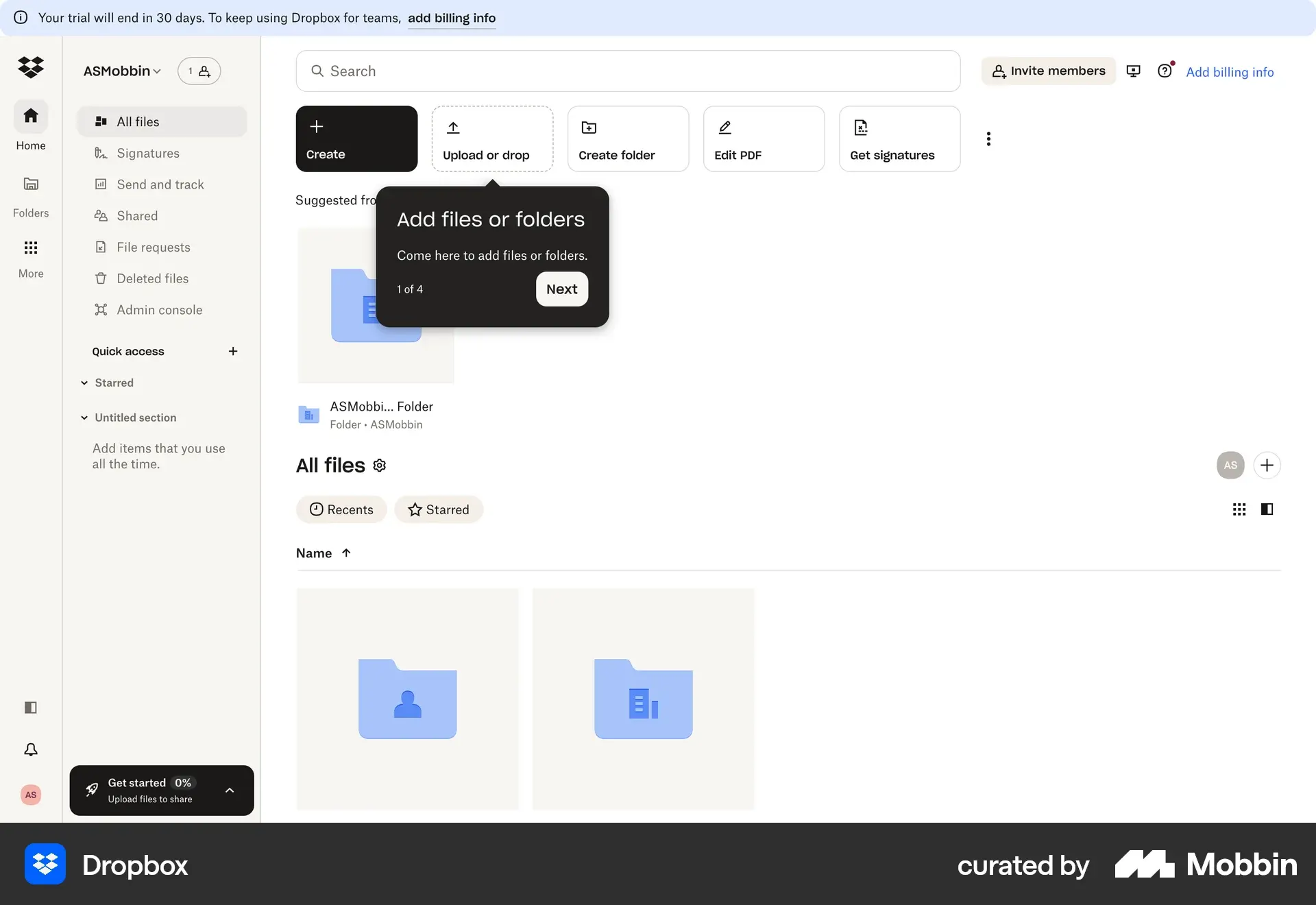
Interactive tutorials work best for complex products with many features or advanced functionality. They allow users to learn by doing, helping them understand how different parts of the product work together instead of passively reading instructions.
Guided tours
Guided tours are useful for products with intricate interfaces where users may not immediately understand where to start. They highlight key areas of the UI and provide a structured walkthrough of the product’s main sections.
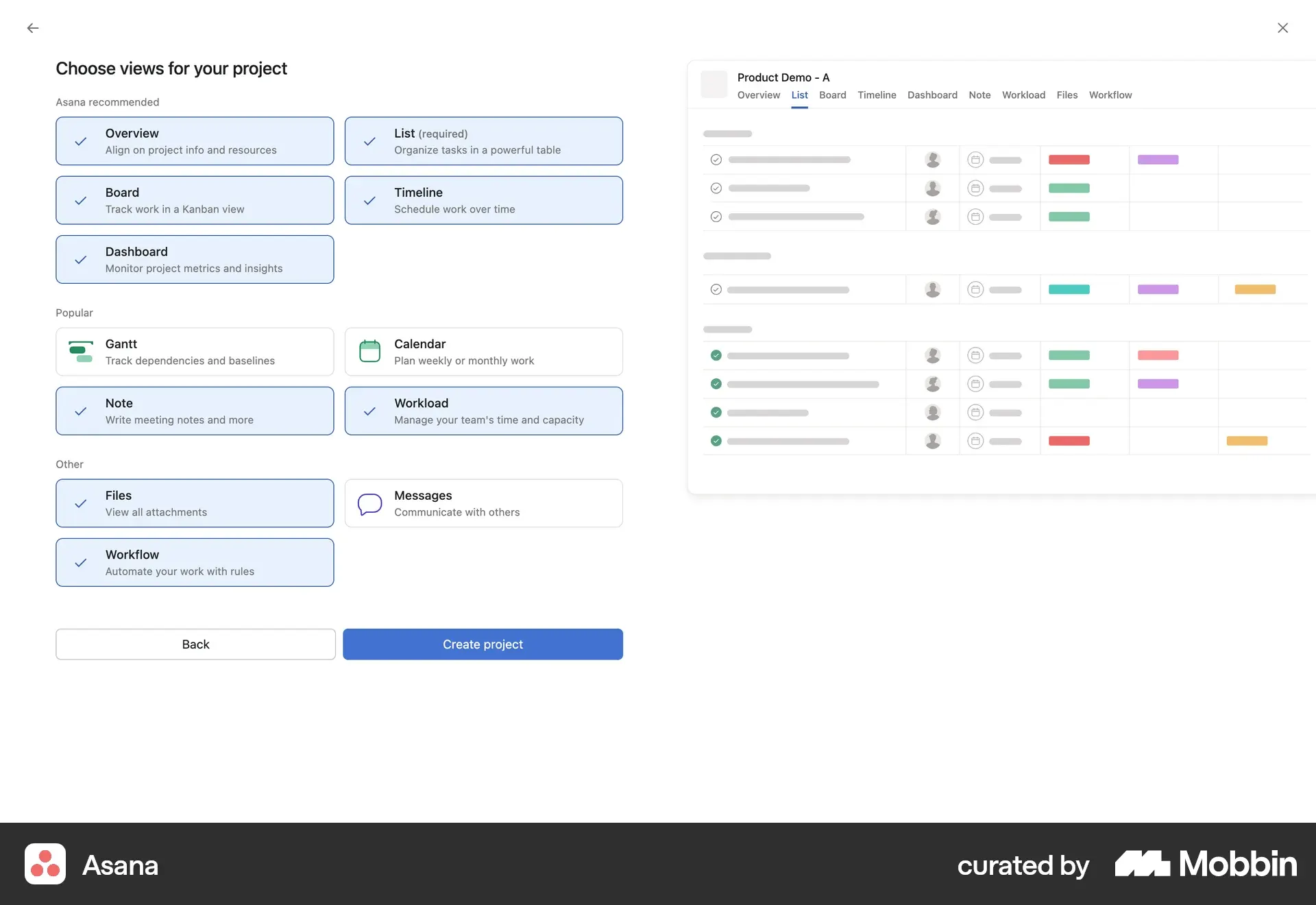
Onboarding checklists
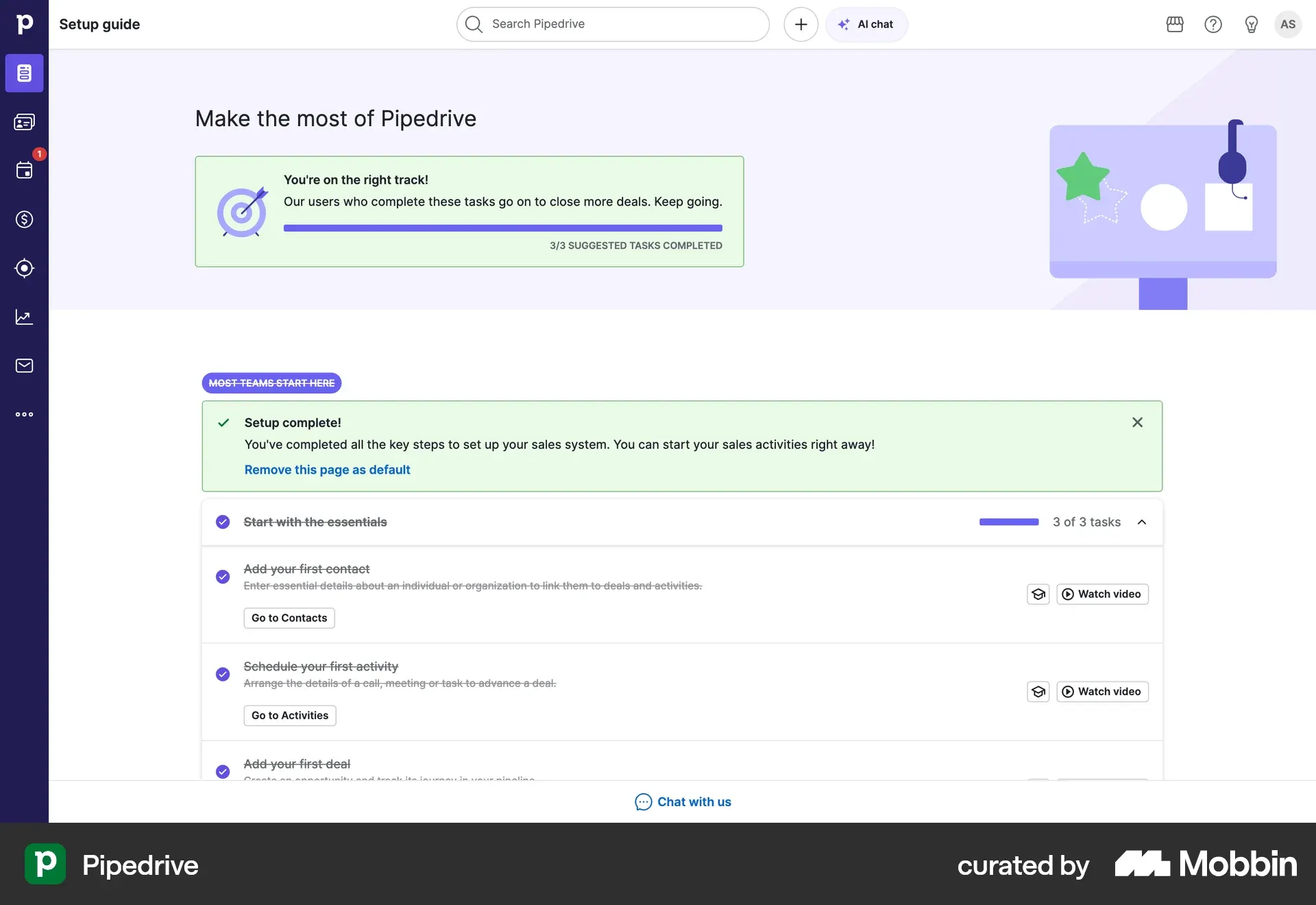
In-app onboarding checklists are effective when users need to complete multiple setup steps before reaching value. They provide a clear sense of progress and help users understand what’s left to do without overwhelming them.
This works especially well in HR tools. A PTO tracker, for instance, typically walks admins through adding employees, configuring leave policies, and connecting calendars before the product becomes usable
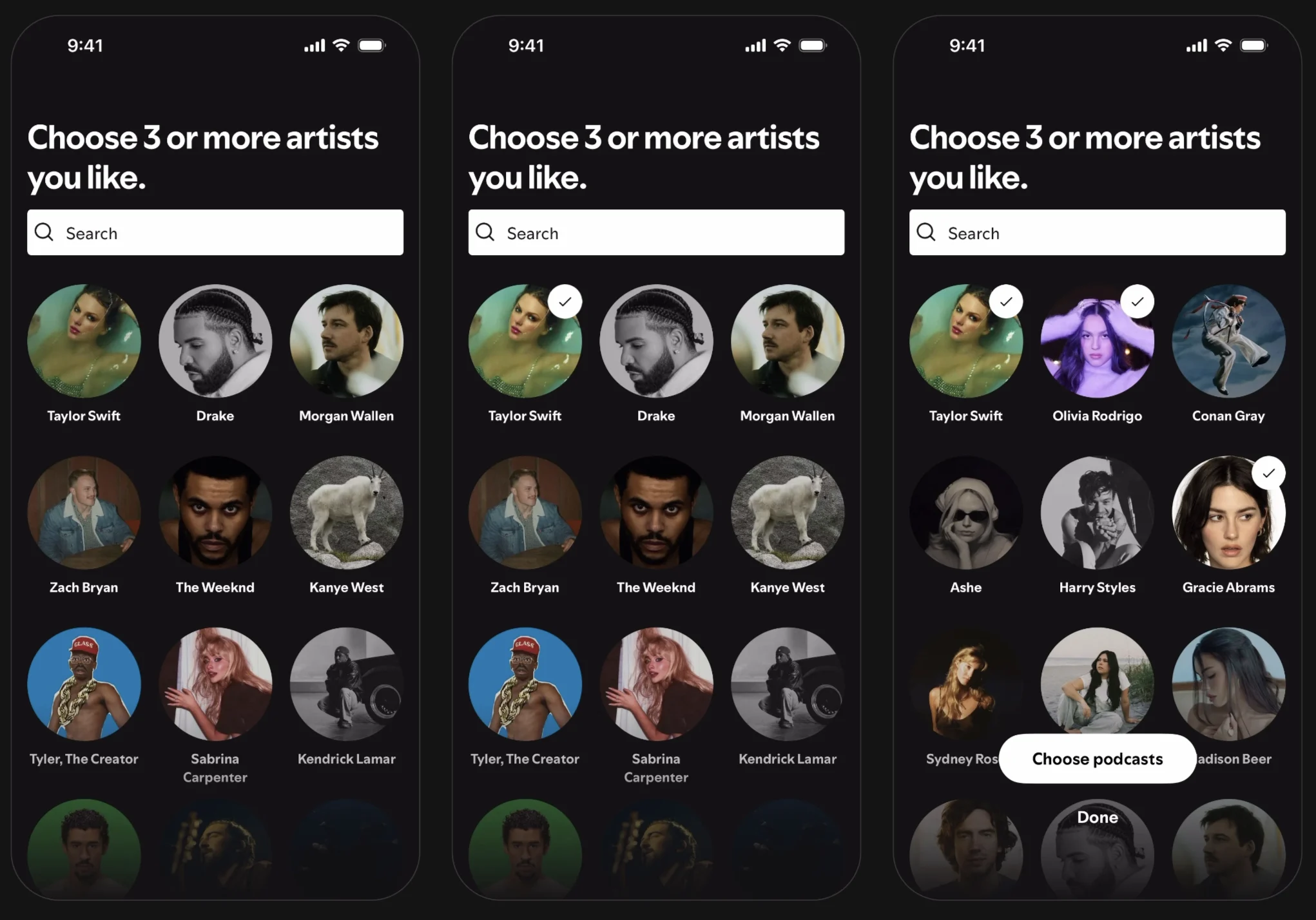
Personalized onboarding
Personalized onboarding adapts the experience based on user expectations, input, behavior, or preferences. This approach is especially valuable for products with customizable features or multiple user types, ensuring guidance feels relevant rather than generic.
Product tours
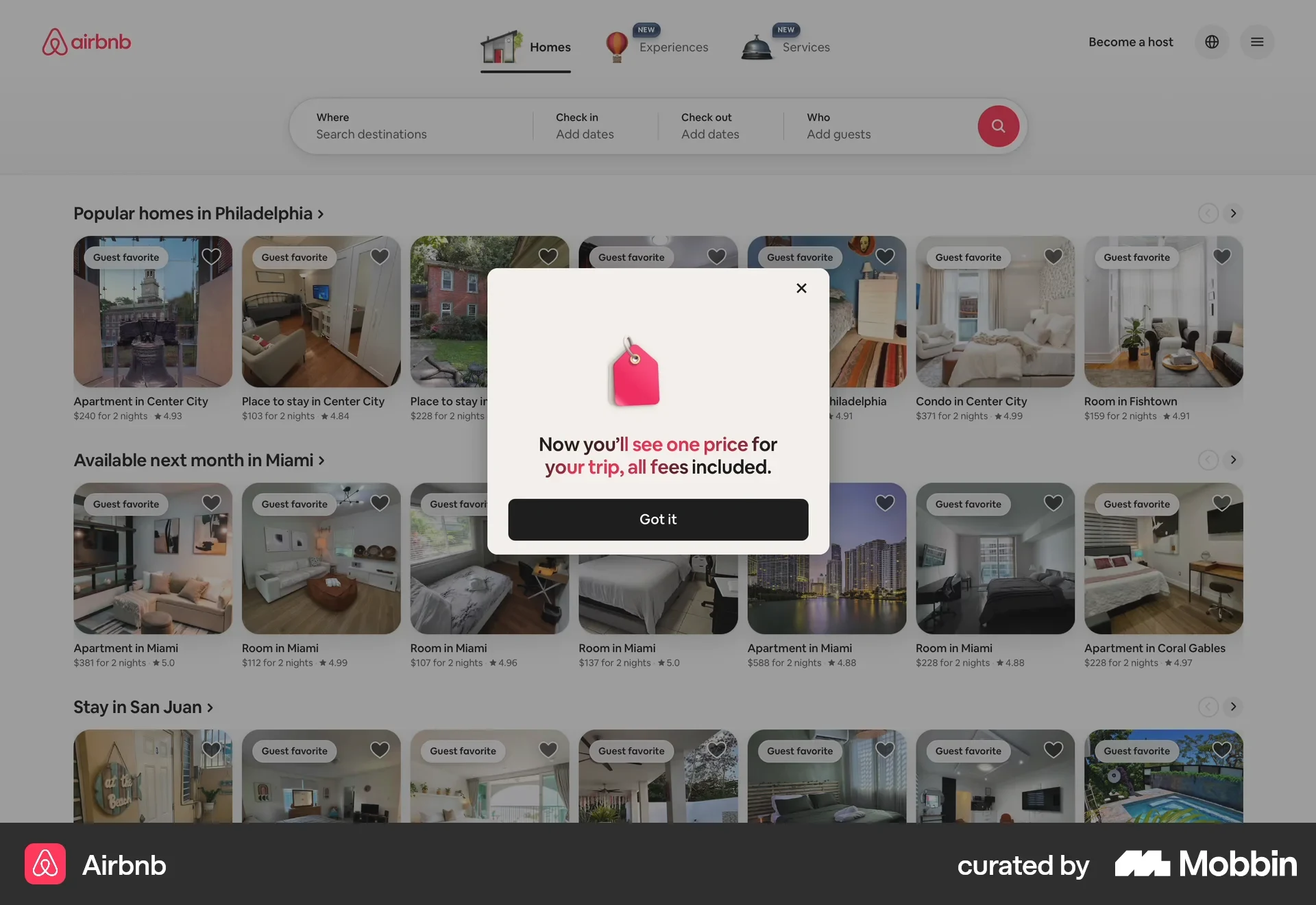
Product tours are commonly used for new products or major updates. They introduce users to new functionality and help existing users understand what has changed without disrupting their workflow.
Contextual help and tooltips
Contextual help and tooltips provide guidance at the exact moment users need it. Instead of front-loading information, they explain features or terminology in context, reducing cognitive load.
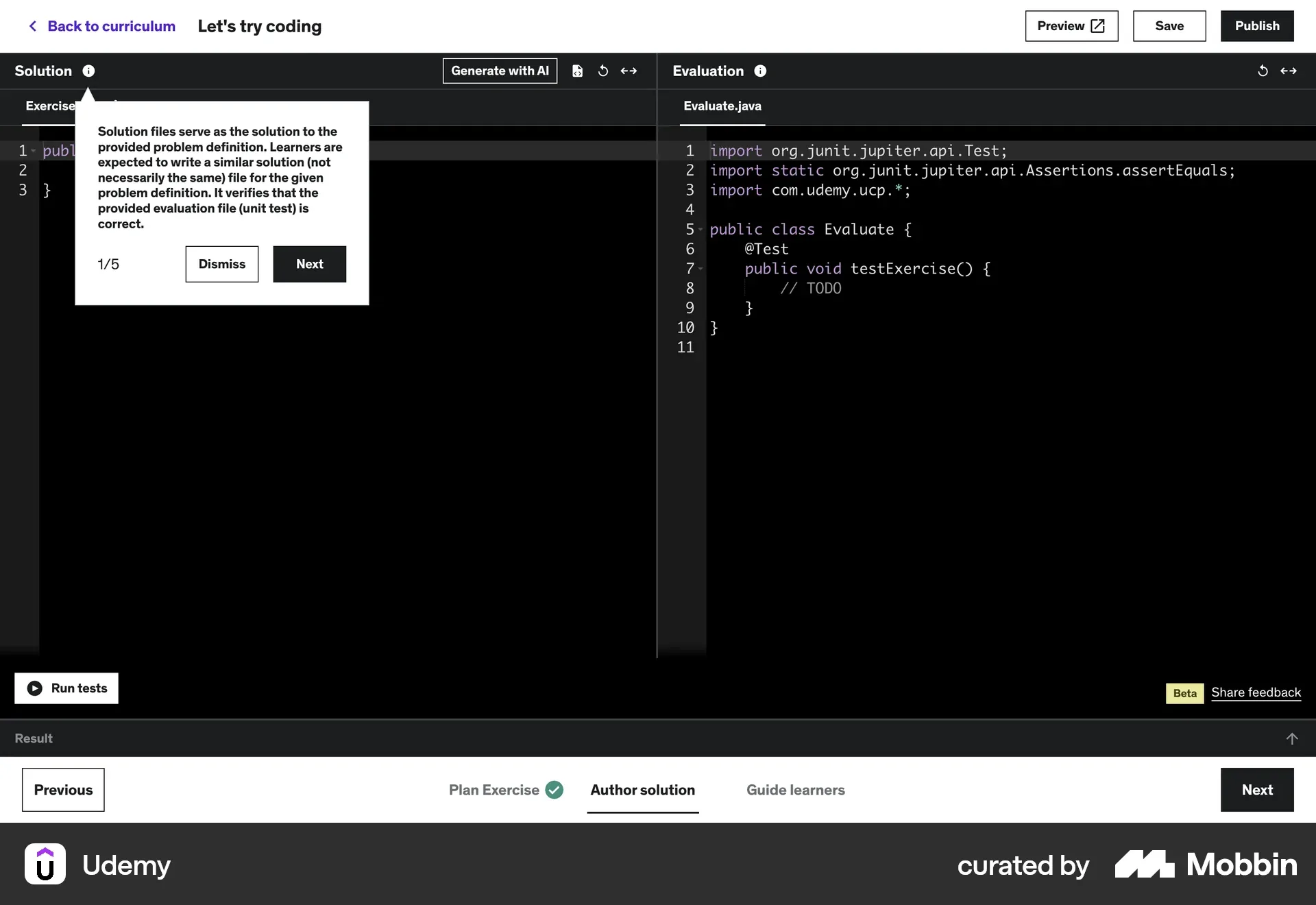
Progressive onboarding
Progressive onboarding introduces complexity gradually over time. Rather than explaining everything upfront, it reveals features as users become more comfortable, making it ideal for products with a learning curve.
Best Practices for Successful Onboarding
Keep onboarding short and goal-oriented
Every action added to onboarding increases the chance of early drop-off. The earlier a user leaves the onboarding flow, the more likely they are to churn. Onboarding should focus on getting users to value fast, not explaining everything the product can do.
Use feedback and success moments
Onboarding is an iterative process, not a one-time effort. There’s no perfect flow you can design once and forget. Tracking metrics such as activation, adoption, and retention helps reveal where users struggle or disengage.
Regular user interviews provide qualitative insight that analytics alone can’t capture. Together, these inputs help continuously refine onboarding toward clearer success moments.
Combine visuals, motion, and interactivity
Visual cues, subtle motion, and interactive elements make onboarding easier to understand and more engaging. When used intentionally, they guide attention, reduce cognitive load, and help users learn by doing rather than reading.
Common Onboarding Mistakes to Avoid
Overloading users with information
During the first session, users don’t need to know everything your product does, especially in complex products. They need to experience value. The goal is to identify what that value is and deliver it with the least possible effort from the user.
Ignoring real user context
Sometimes, no onboarding is the best onboarding. If a user comes in with a clear intent (like merging two PDFs), they don’t need a full walkthrough of unrelated features. In other cases, users may be in a hurry and unwilling to click through guided tours. Context always matters.
{{case-study}}
Treating onboarding as a one-time event
Onboarding should be stoppable and resumable. Users should be able to exit, return later, and continue without penalty. Treating onboarding as a single mandatory flow increases frustration and abandonment.
Great Onboarding UX Examples
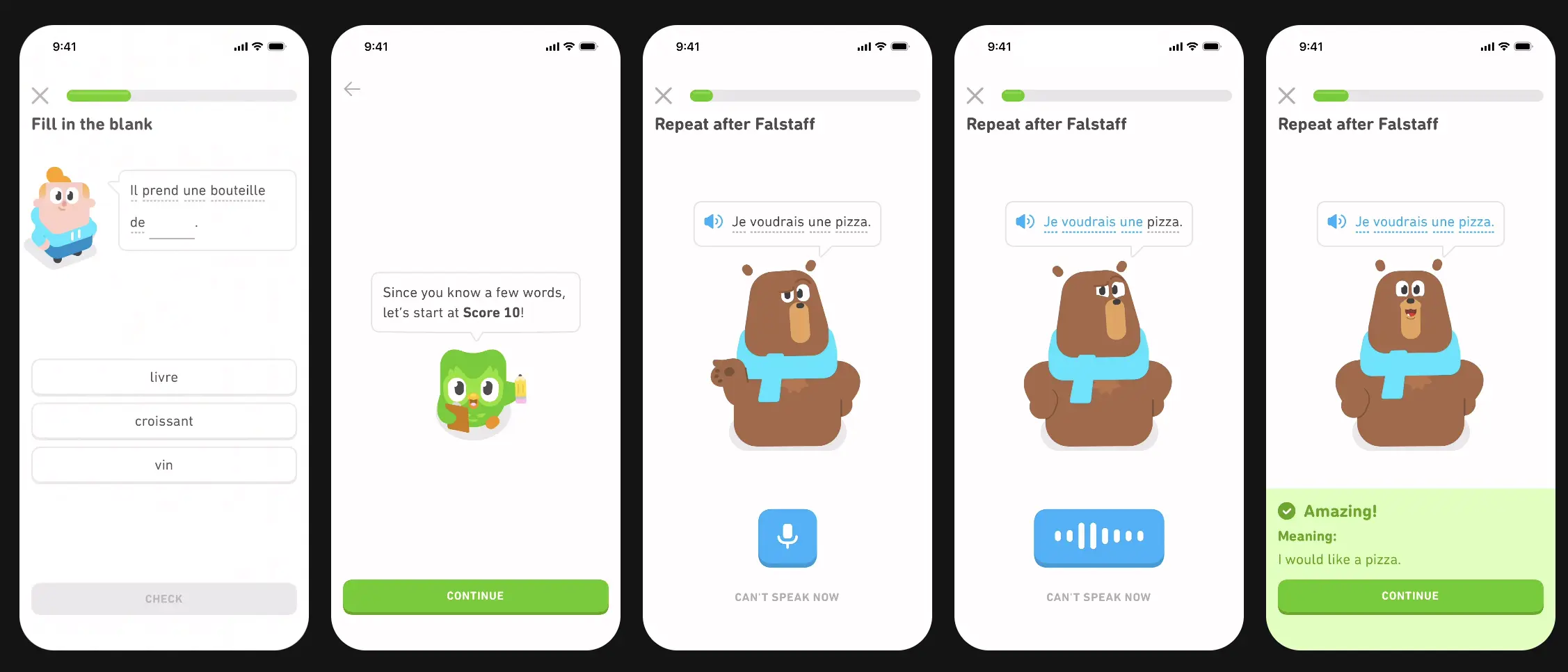
How Duolingo gamifies first-time use
Duolingo turns onboarding into a low-pressure, game-like experience. Users start learning immediately, reaching value before being asked to commit.
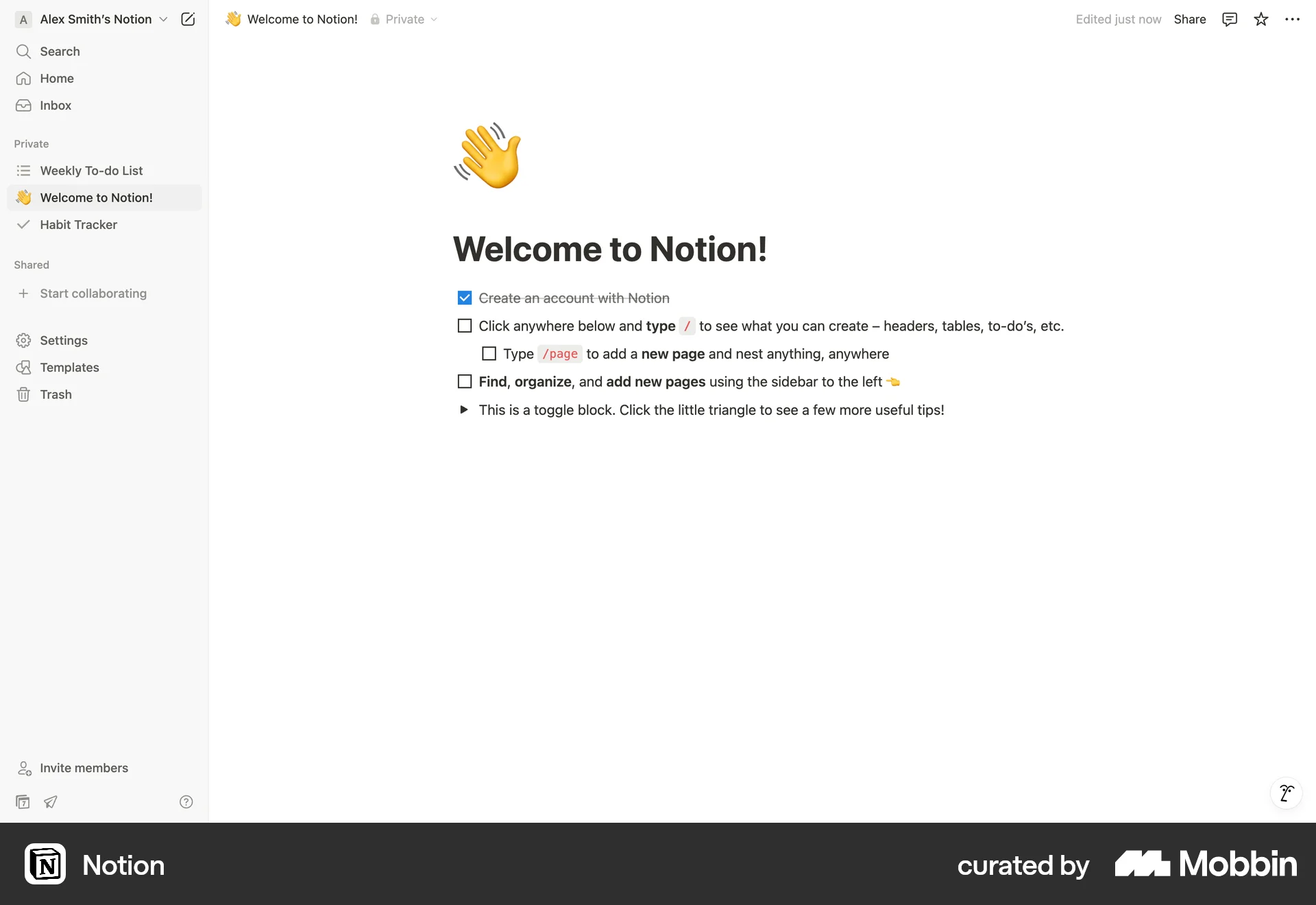
Notion’s modular onboarding experience
Notion allows users to shape their own onboarding by choosing templates and use cases. This flexibility helps users reach relevance faster.
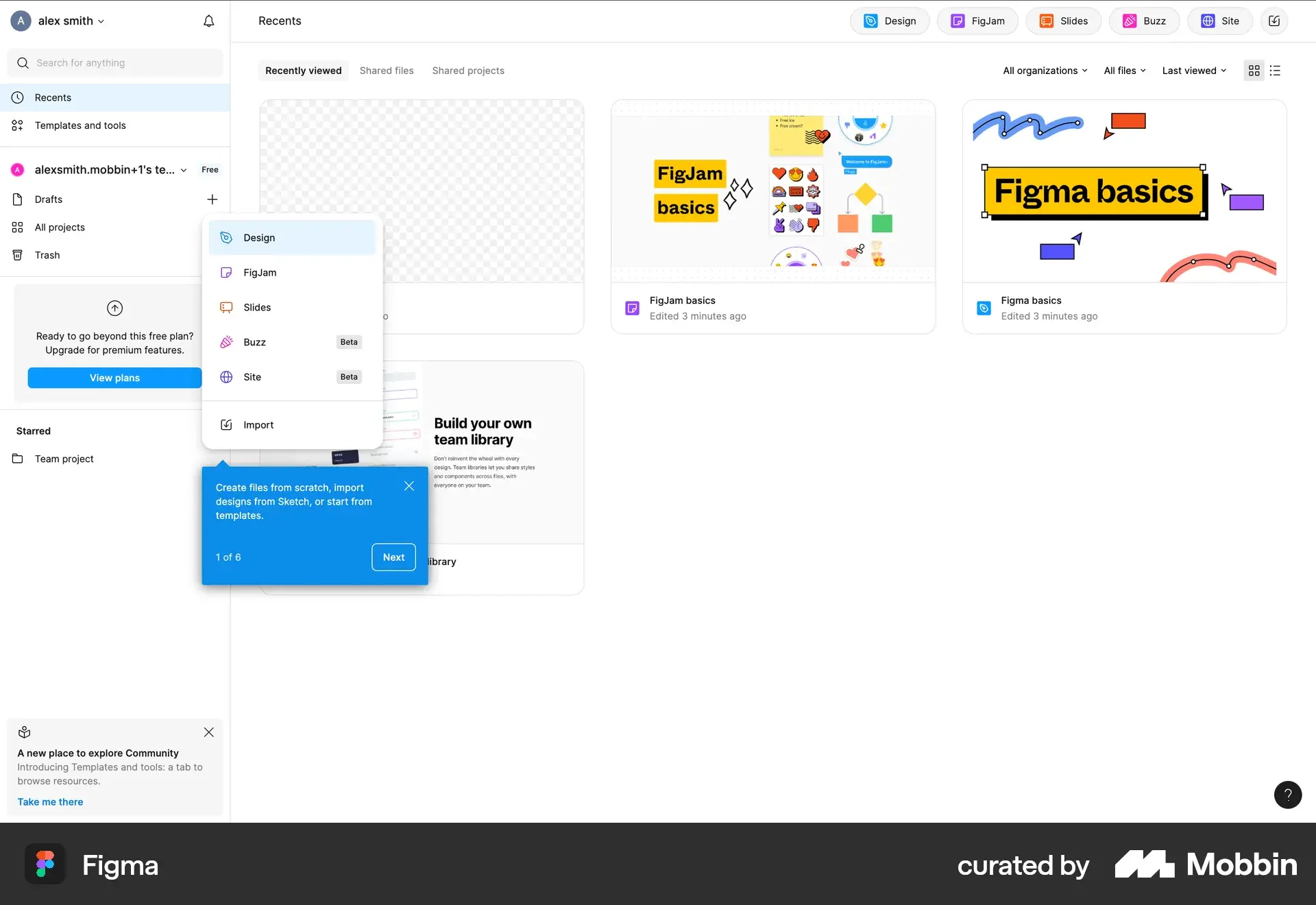
Figma’s approach to user empowerment
Figma minimizes forced onboarding and instead empowers users to explore. Contextual guidance and discoverability support learning without interruption.
How to Create an Best Onboarding Experience
Mapping the user journey before design
Understanding the user journey before designing the user onboarding experience helps identify key moments, friction points, and the fastest path to value.
Testing and iterating onboarding flows
Testing onboarding with the real user base reveals gaps between intent and behavior. Iteration based on feedback and data is essential for long-term effectiveness.
Measuring onboarding success metrics
Key metrics include activation rate, time to first key action, completion rate, and early retention. These indicators show whether the user onboarding flow is helping users reach value.
Final Thoughts on Designing Effective Onboarding UX
Great onboarding UX isn’t about showing users everything—it’s about showing them what matters most, at the right time. When onboarding is clear, contextual, and focused on value, it becomes a powerful driver of engagement, satisfaction, and retention.
Service short description